Work as a team
Two people on the same entry
When two people open the same entry, the first one holds it. The second sees who is editing and, by default, stays read-only.
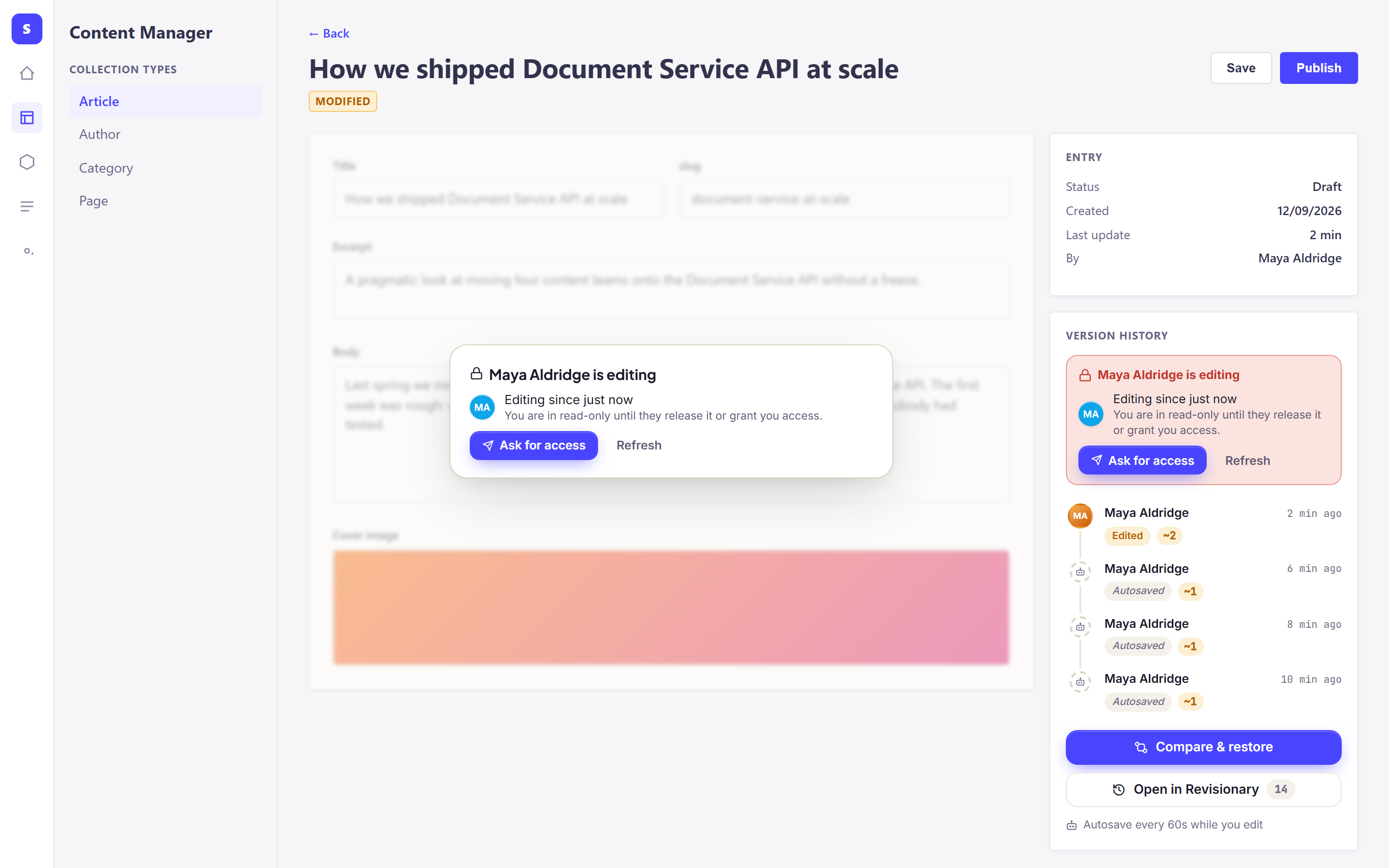
Ask for access
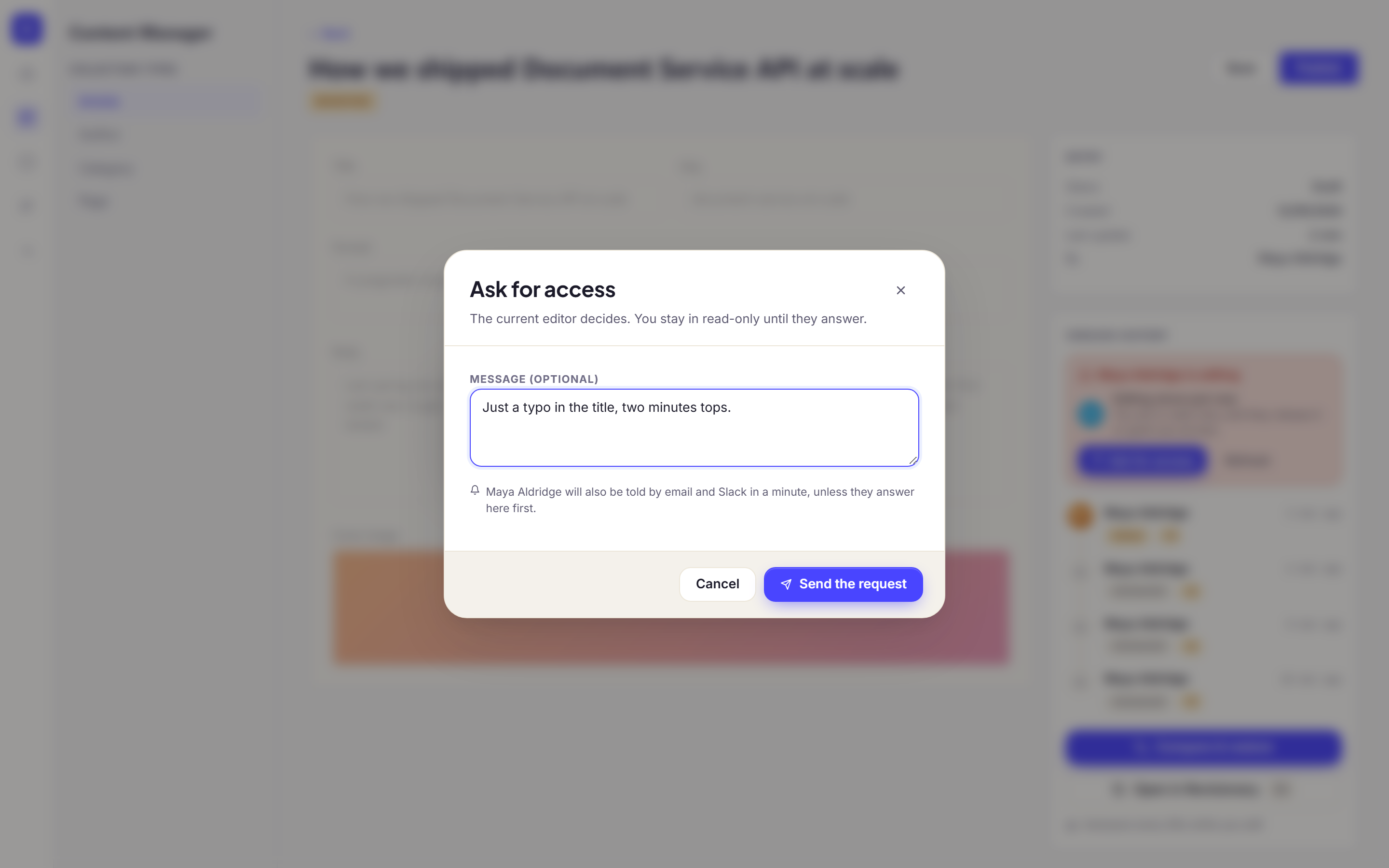
Click Ask for access, add a message if you like, and send. You stay read-only until the answer.
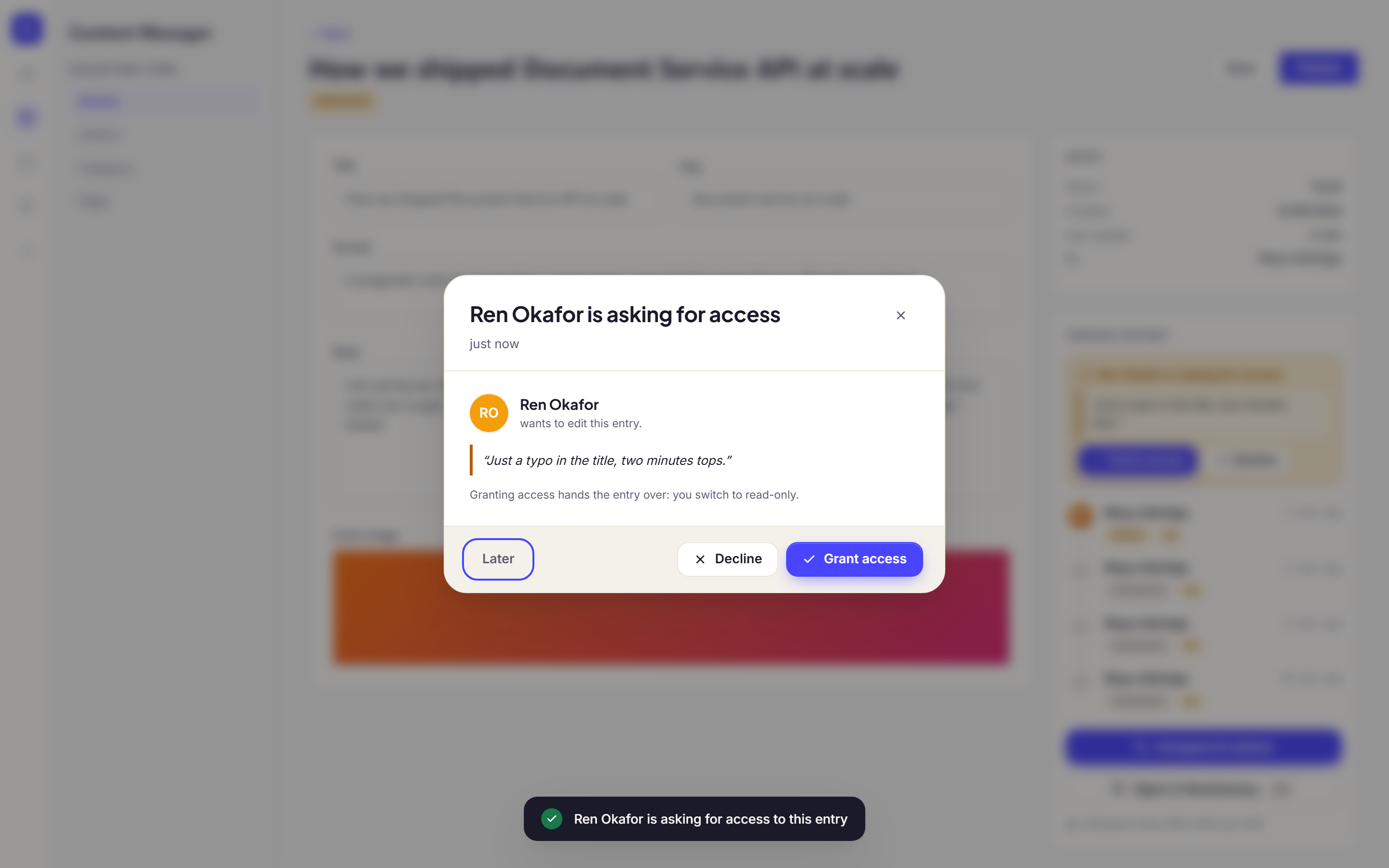
Answer a request
The person editing gets a pop-up. Grant access hands the entry over and switches them to read-only. Decline keeps it, with an optional note. Later closes the pop-up; the request stays in the panel.
When someone leaves
A lock stays alive while the editor’s tab is open. If it is closed without warning, the lock is released after 2 minutes by default, and the next person takes over on their own.
Was this page helpful?
Updated 1 November 2026