Everyday use
While you edit
Each entry of a versioned content type has a Version history panel in the right column of the Content Manager. It shows the latest versions, who made them and how much changed.
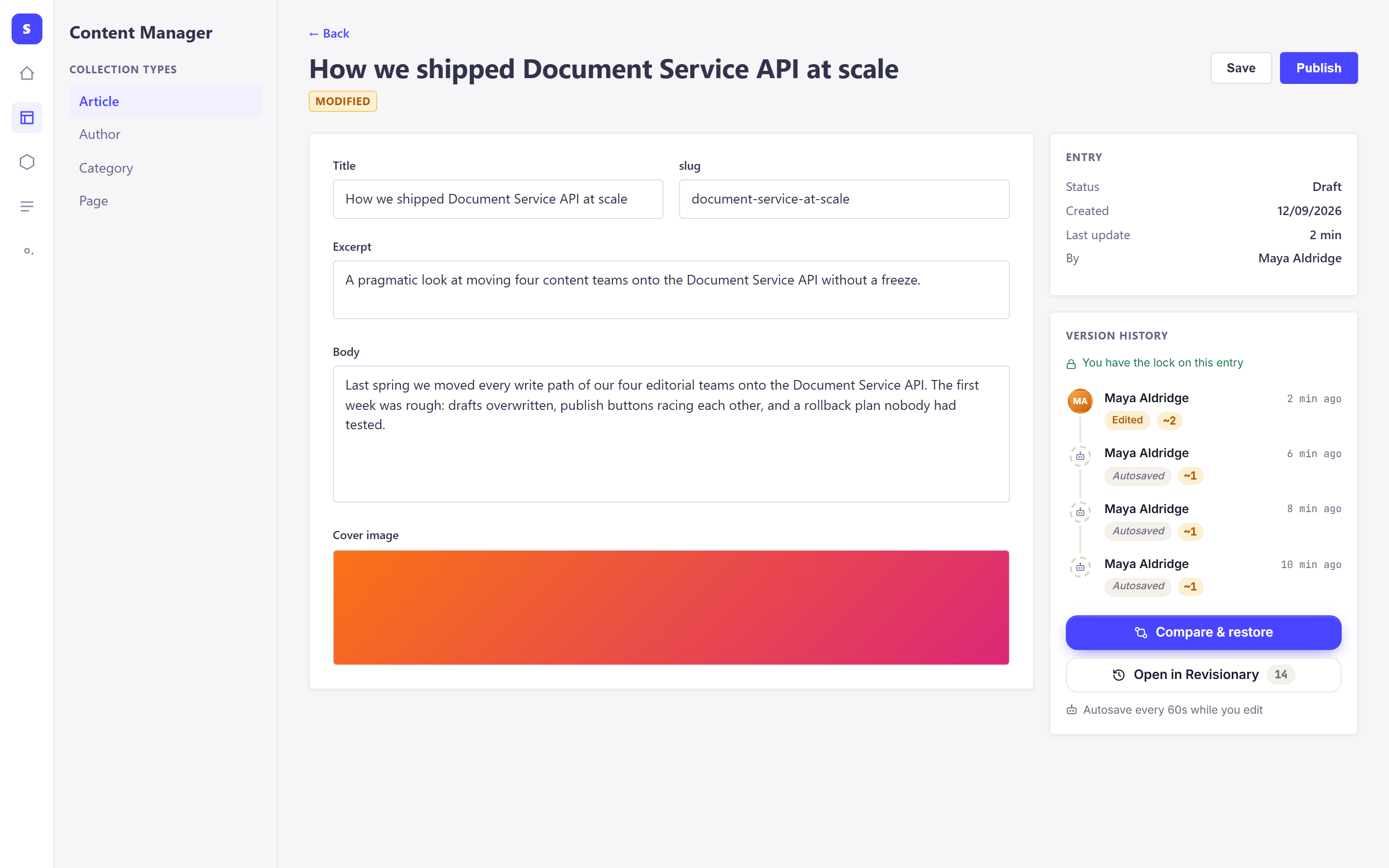
- Autosaves. While you type, your work is saved every 60 seconds as a light version. If the browser closes, nothing is lost.
- Compare & restore opens the full Revisionary page on this entry.
- Open in Revisionary opens the page with every tool: timeline, search, reviews.
Someone saved while you were editing
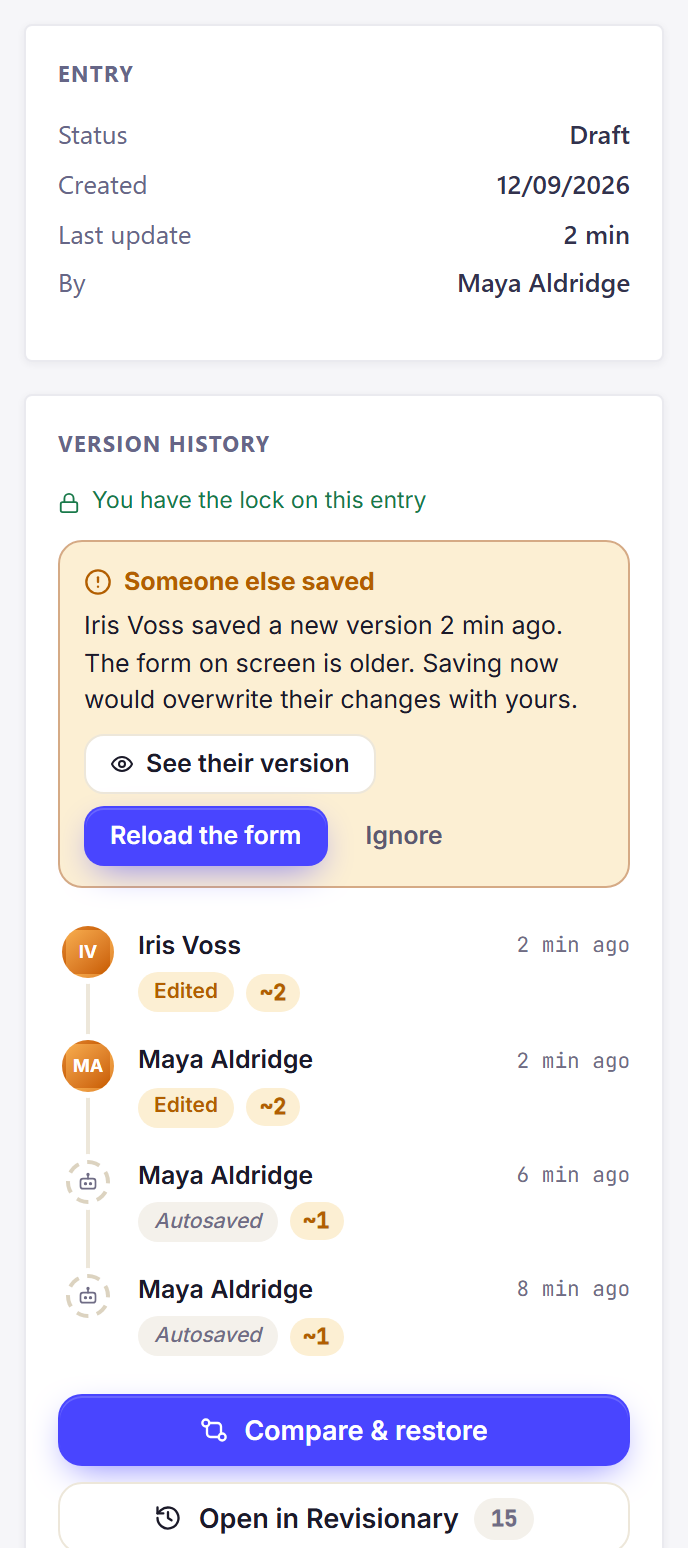
If a colleague saves the same entry while your form is open, the panel tells you. Saving now would overwrite their work, so you can look at their version first.
Was this page helpful?
Updated 1 November 2026