Everything Revisionary records, compares and restores
One plugin, installed with npm or from the zip. It keeps every version of your entries, shows what changed field by field, and puts back exactly what you need, inside the Strapi admin your editors already use.
- 01
A version on every save
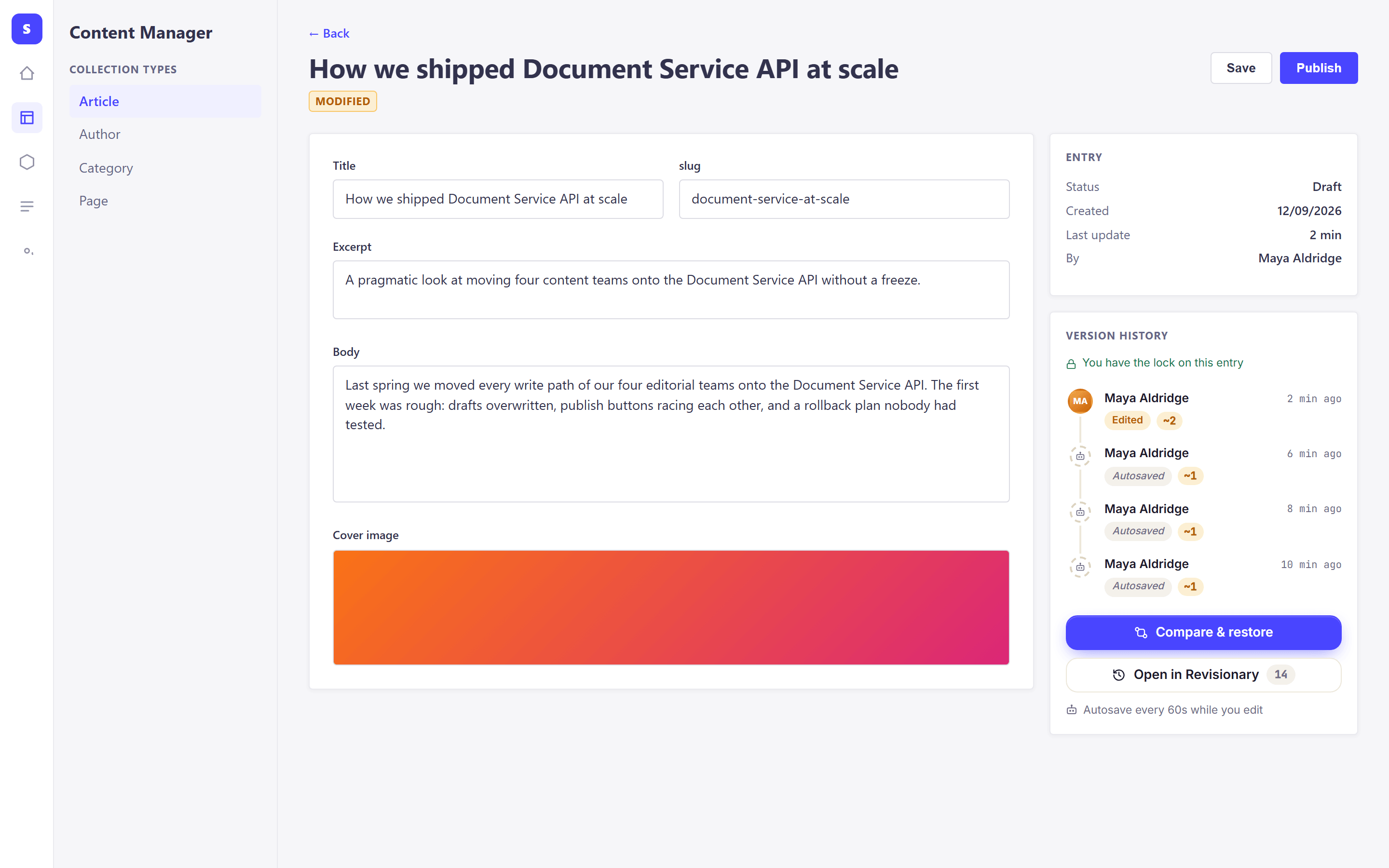
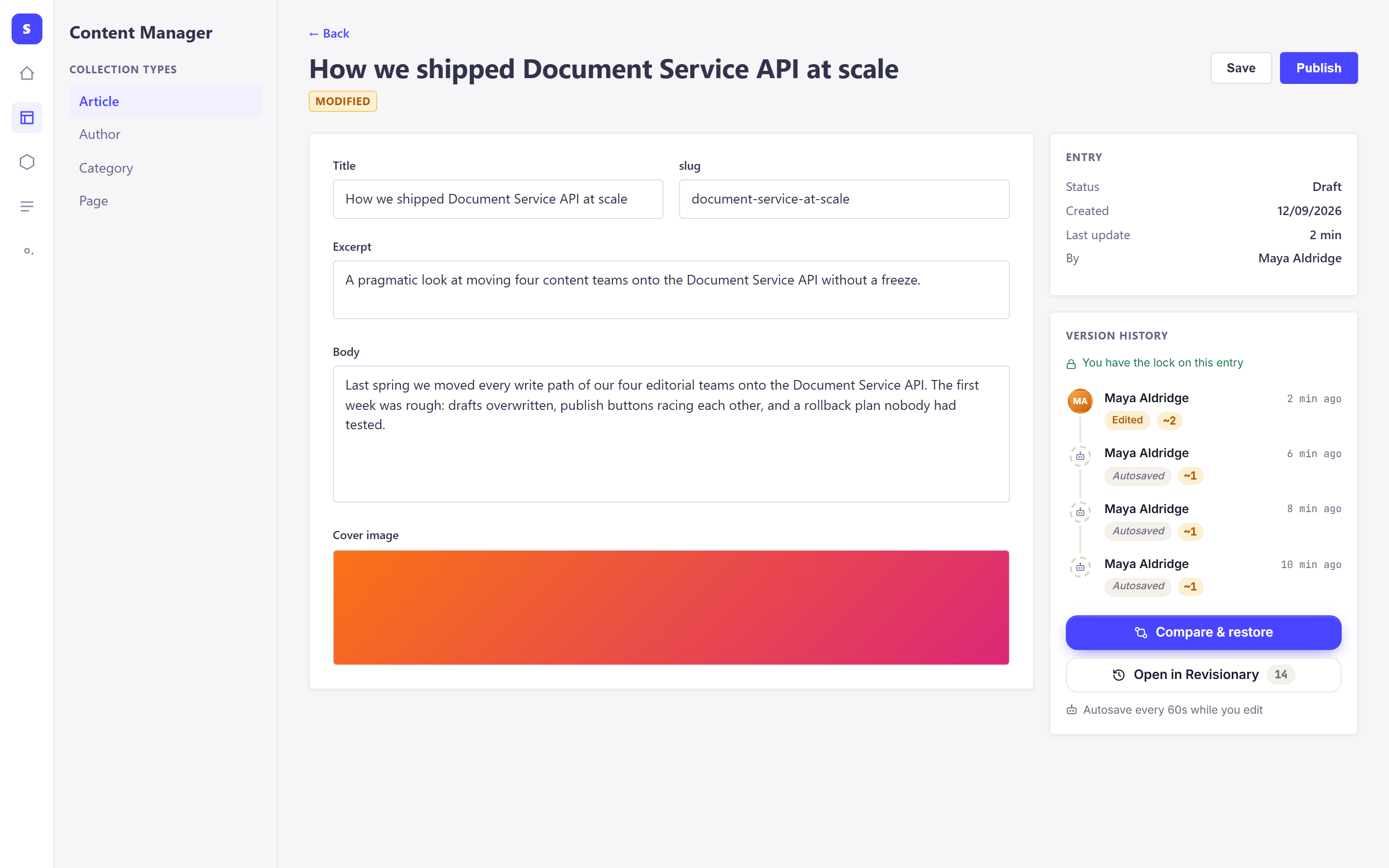
Each versioned entry has a Version history panel in the Content Manager, with the latest versions, who made them and how much changed. While you type, your work is autosaved every 60 seconds.
Where changes are captured
From the Content Manager, the REST API, GraphQL, the Document Service (your own code), cron jobs and imports. Turn a source off per content type, exclude fields that should never be stored, and lock fields that should never be restored.
- 02
The whole history, on one page
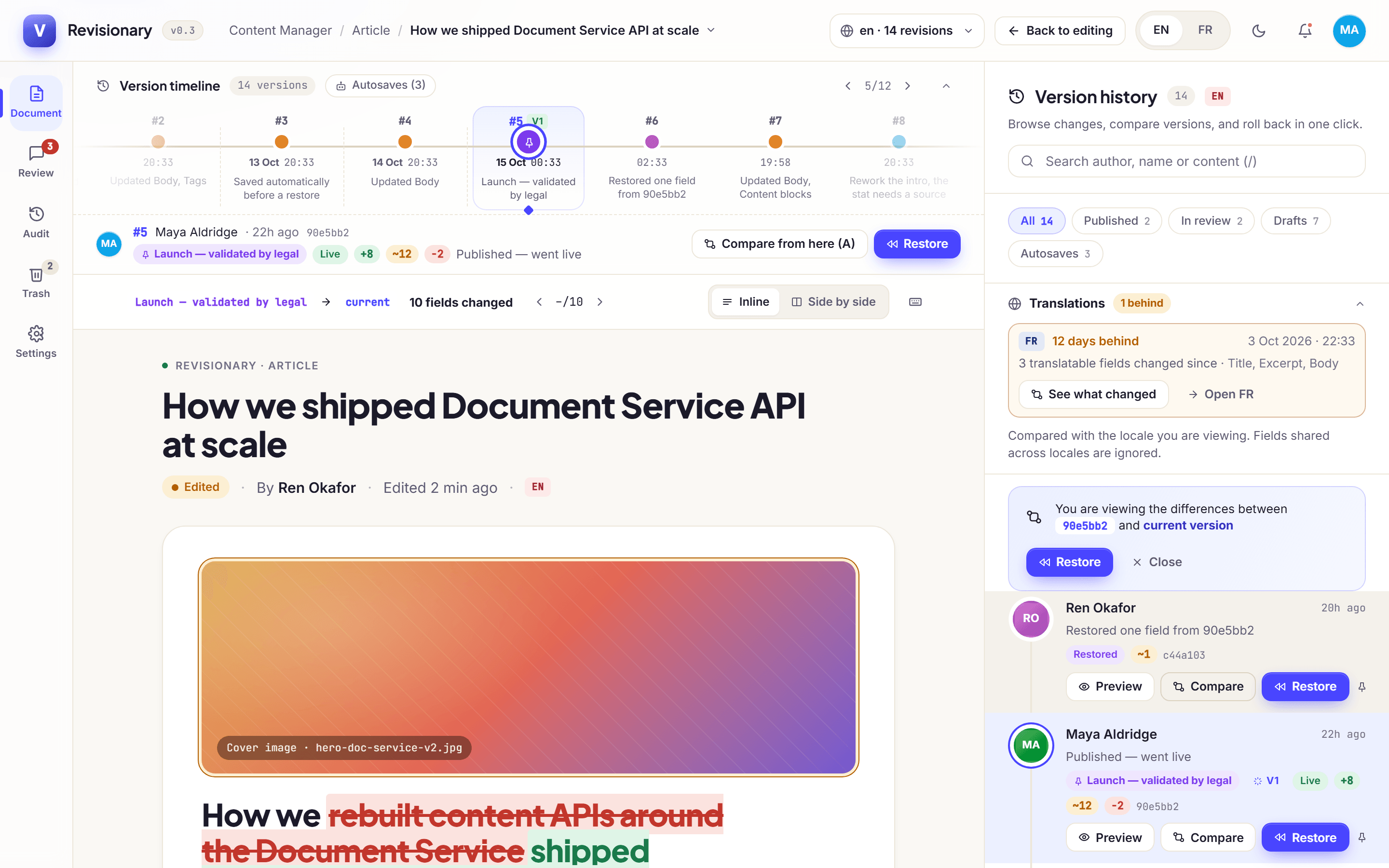
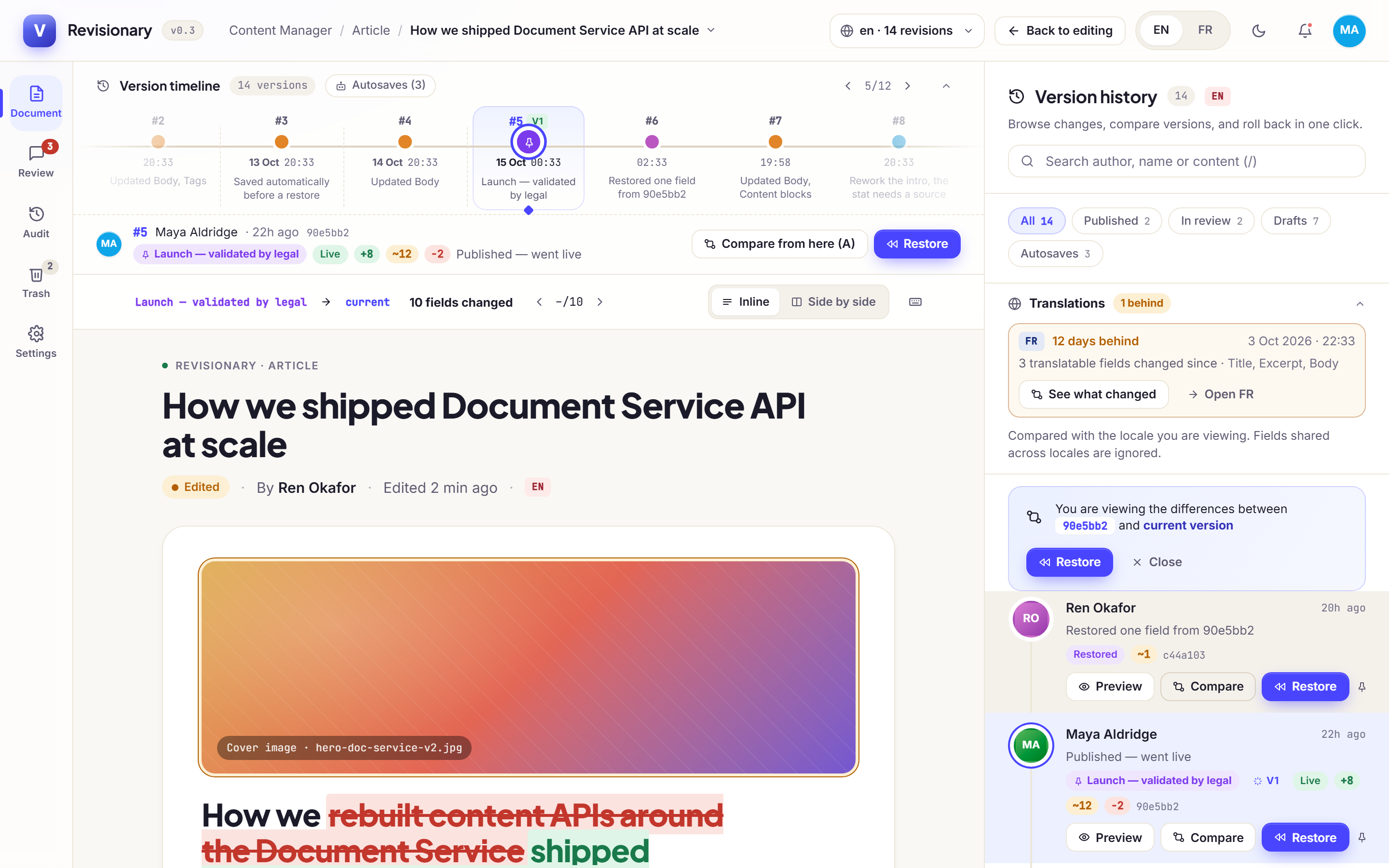
The Revisionary page shows the entry with its changes highlighted, the versions grouped by day, and a timeline of the whole history. Filter by published, in review, drafts or autosaves, and switch locale: each one has its own history.
Keyboard first
Move between versions with the arrow keys, restore with R, compare with C, search with /, and press ? to see every shortcut.
- 03
Field-level differences
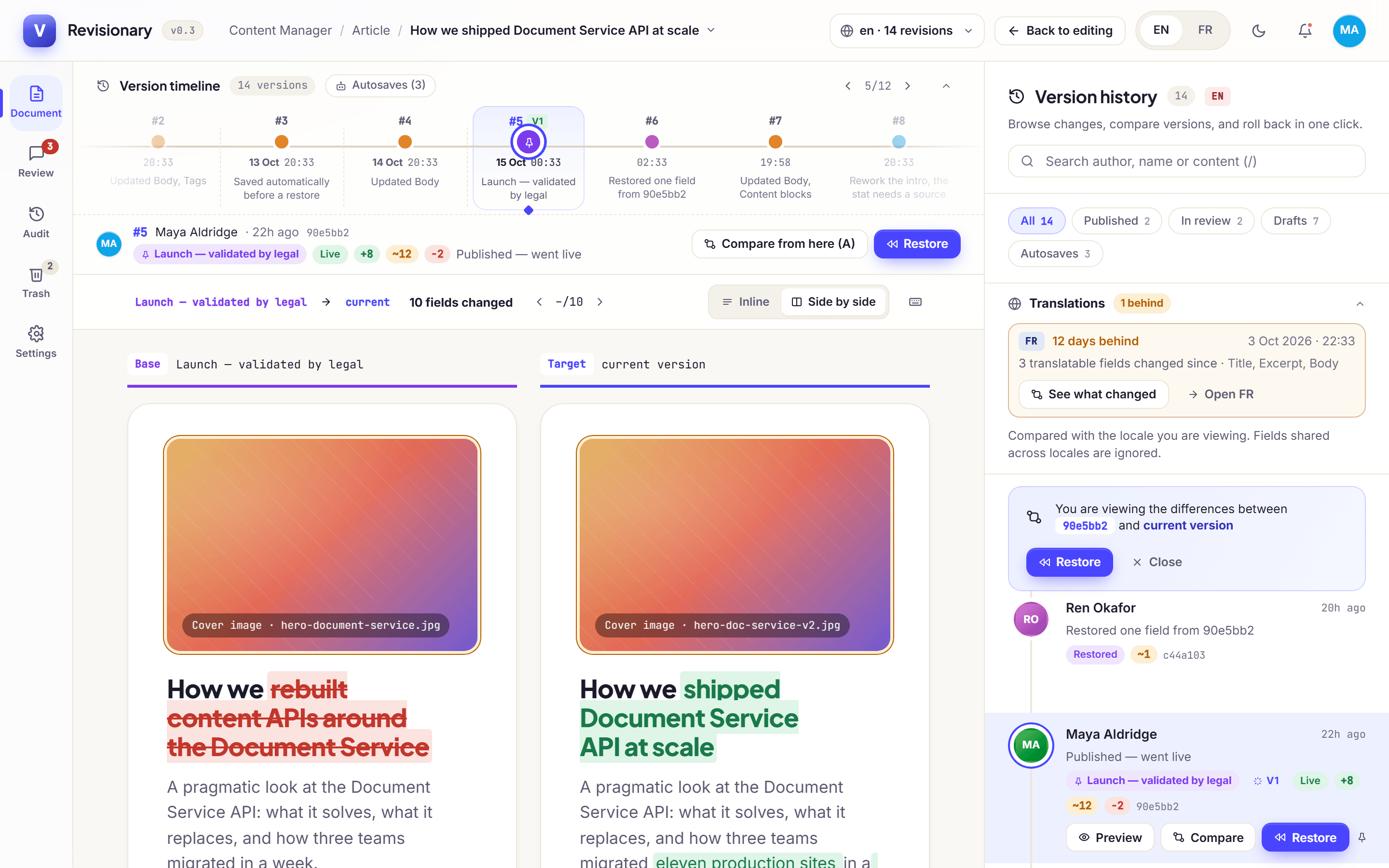
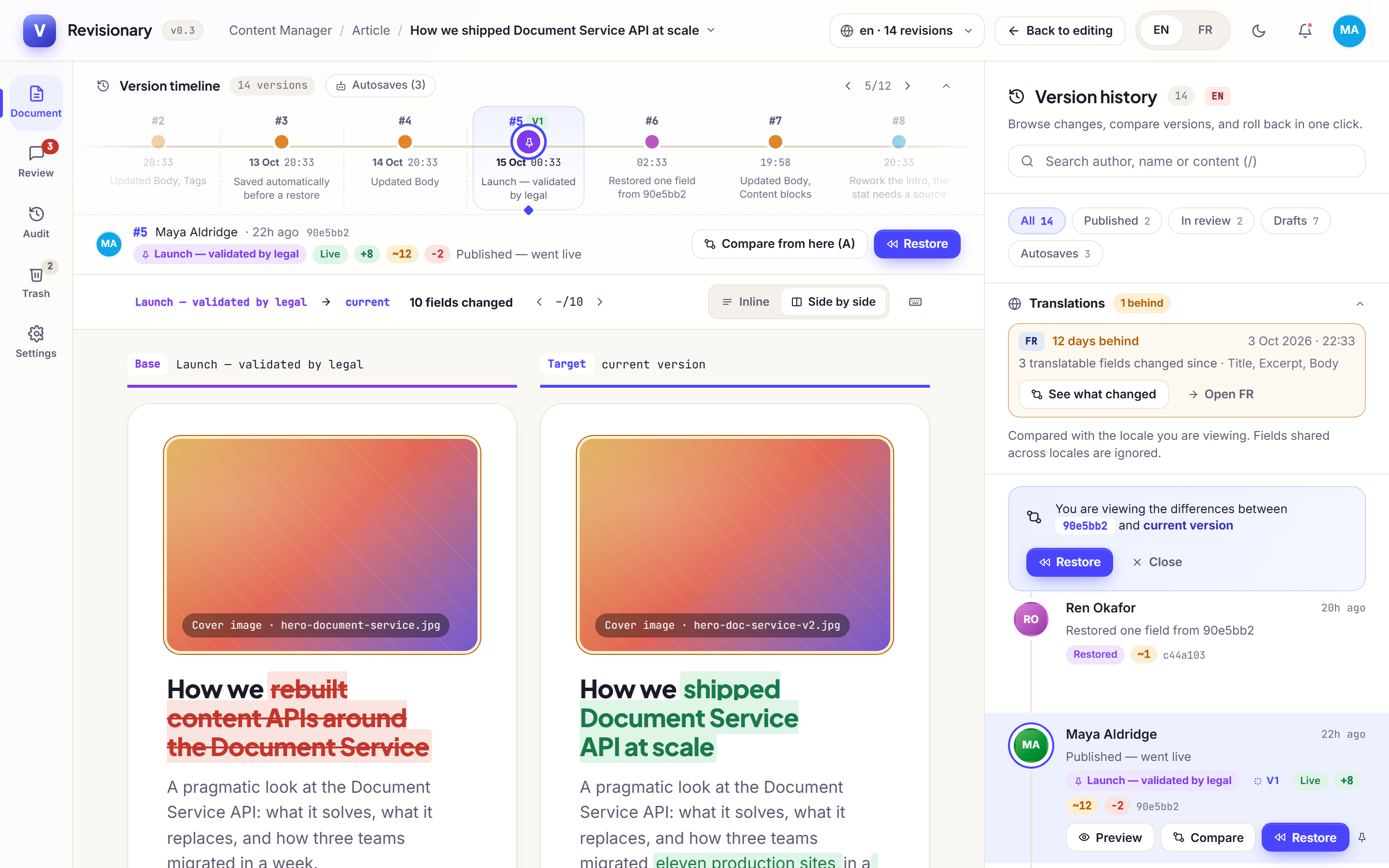
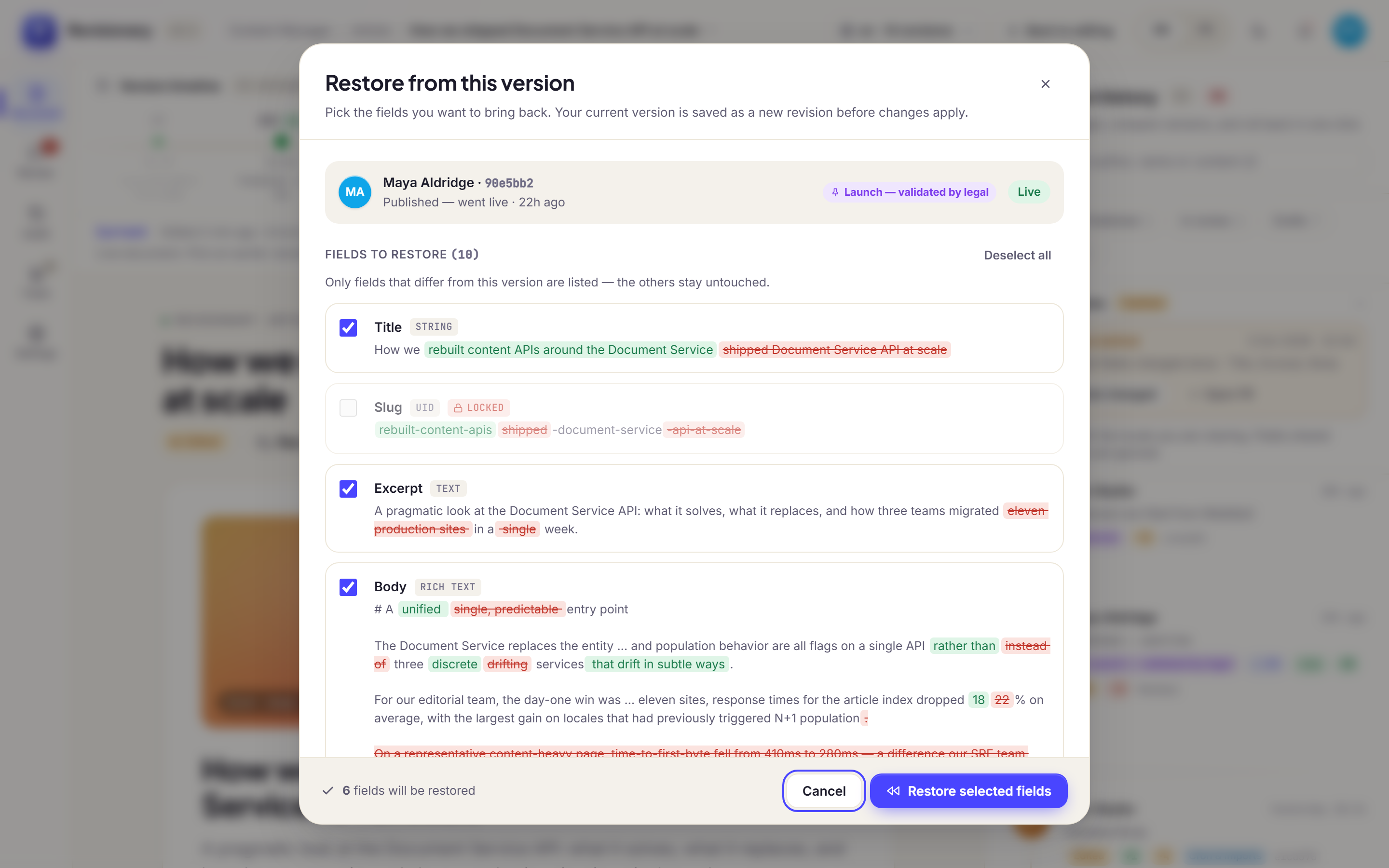
Text word by word; relations, media and components item by item, nested components and dynamic zones included. Inline for text, side by side for long or heavily reworked entries. Removed text is struck through, added text underlined.
Images
A changed image is compared with a slider, a fade or side by side. Revisionary remembers the mode you prefer.
- 04
Compare any two versions
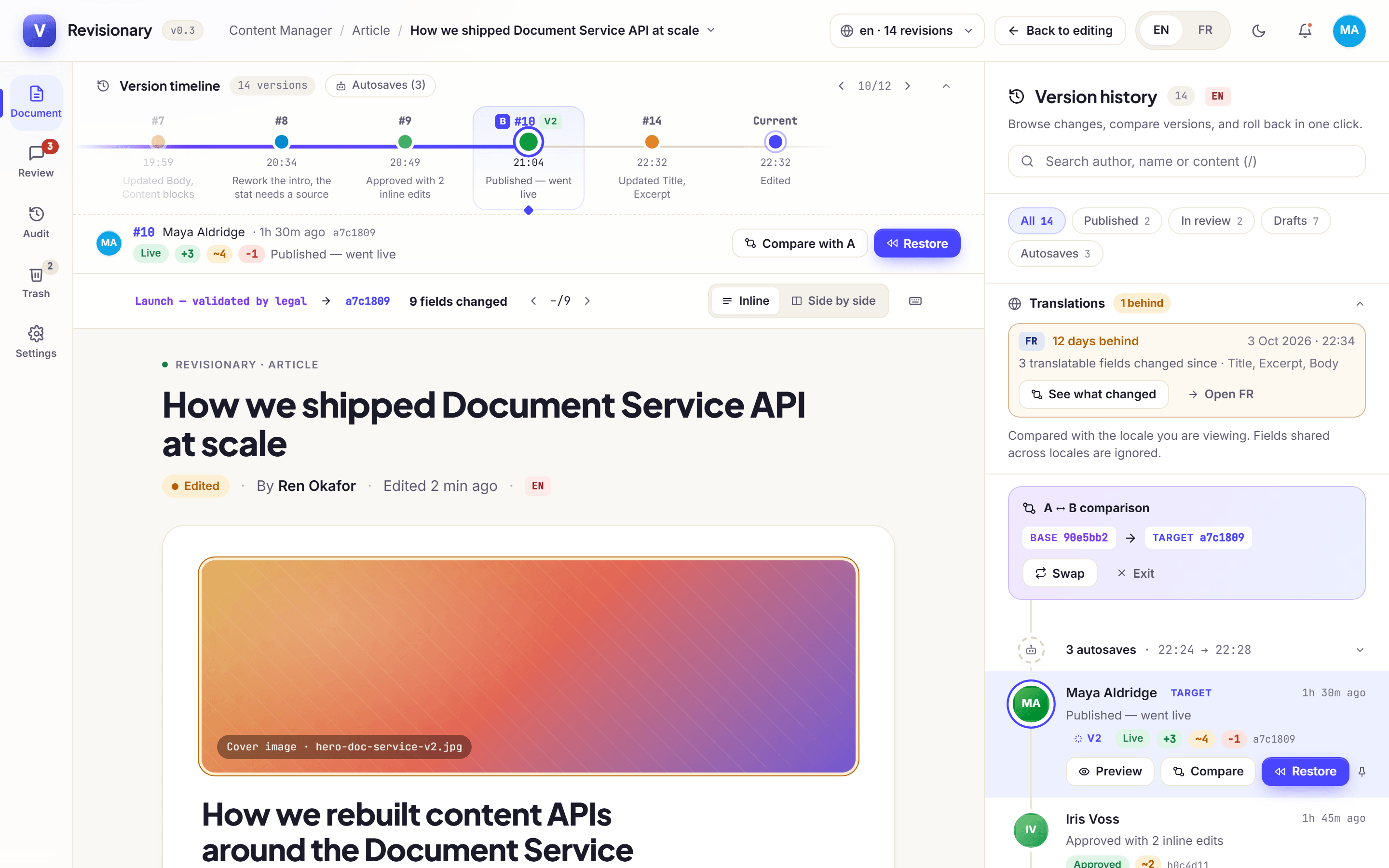
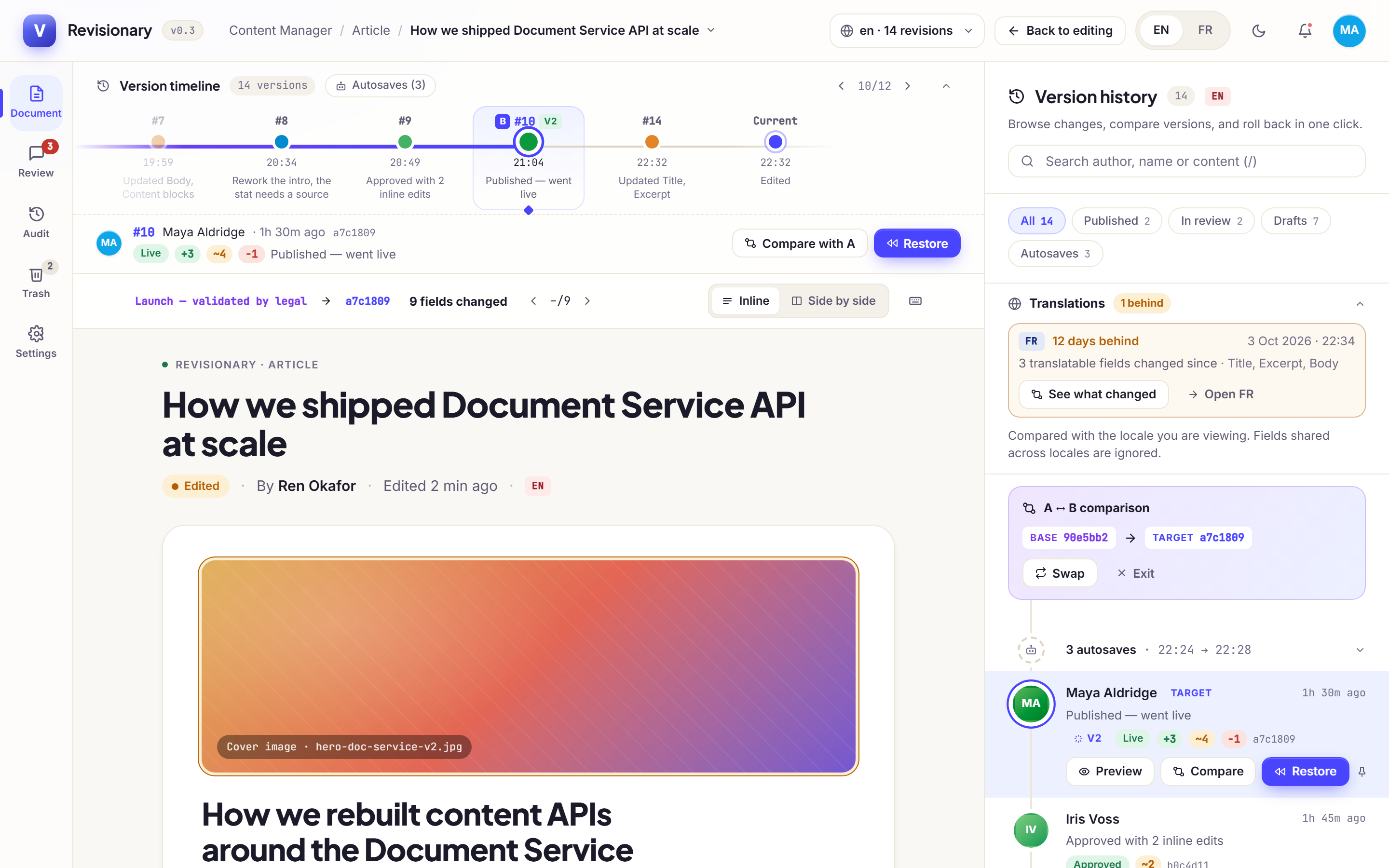
A version is compared with the current entry by default. Pick a base and a target to compare two past versions, or hold Shift on the timeline. Name a version, like “Approved by legal”, to find it again: named versions are never removed.
- 05
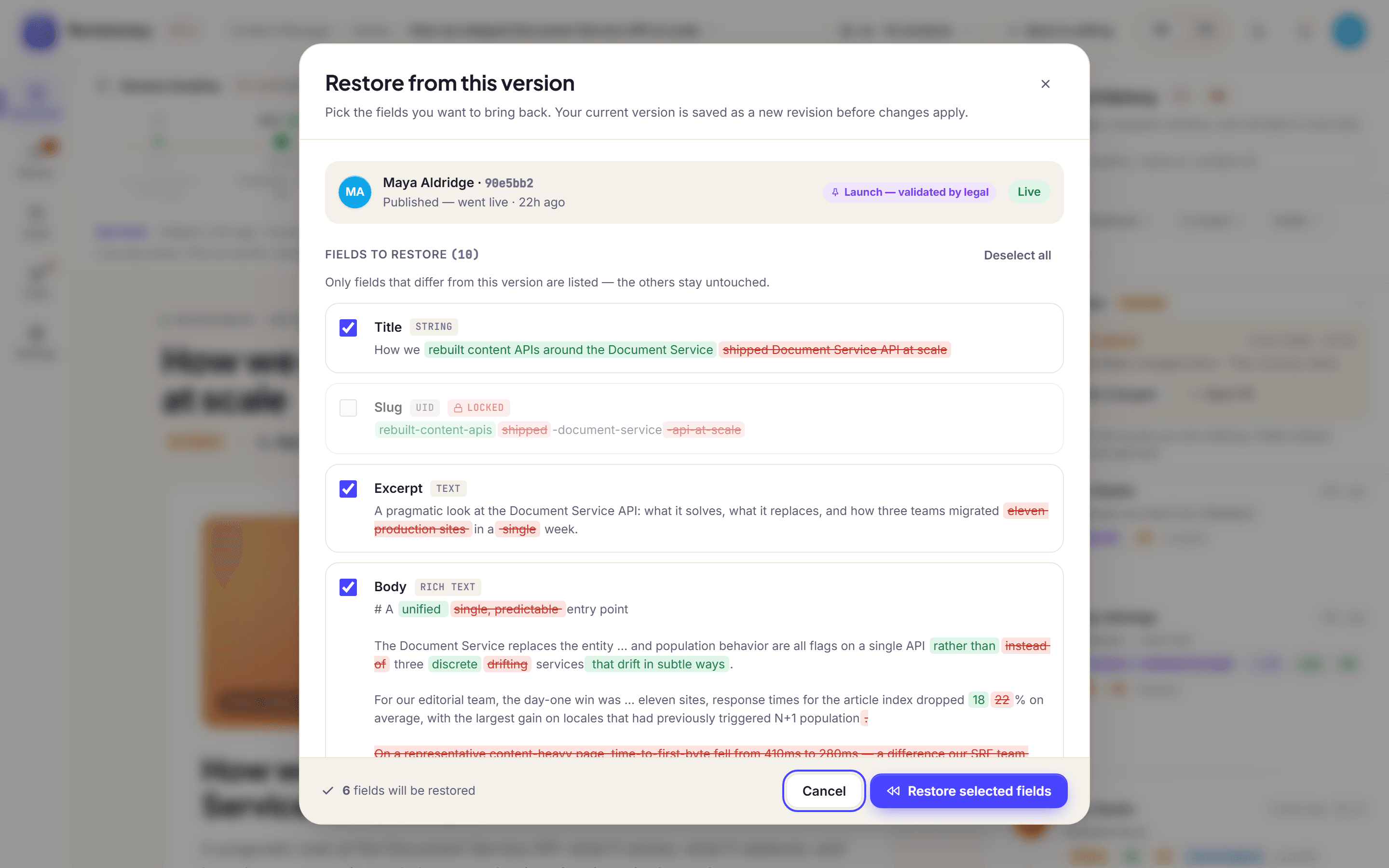
Restore only what you need
Tick the fields to put back. Everything else stays as it is, other locales are left alone, and the restore becomes a new version. Changed your mind? Undo it for 10 minutes. Need one value only? The history of a field restores that field alone.
Who can restore
Restore is its own Strapi permission, and nobody restores a field they cannot edit. The settings decide whether Editors and Authors may restore, whether a restore needs approval, and how long the undo lasts.
- 06
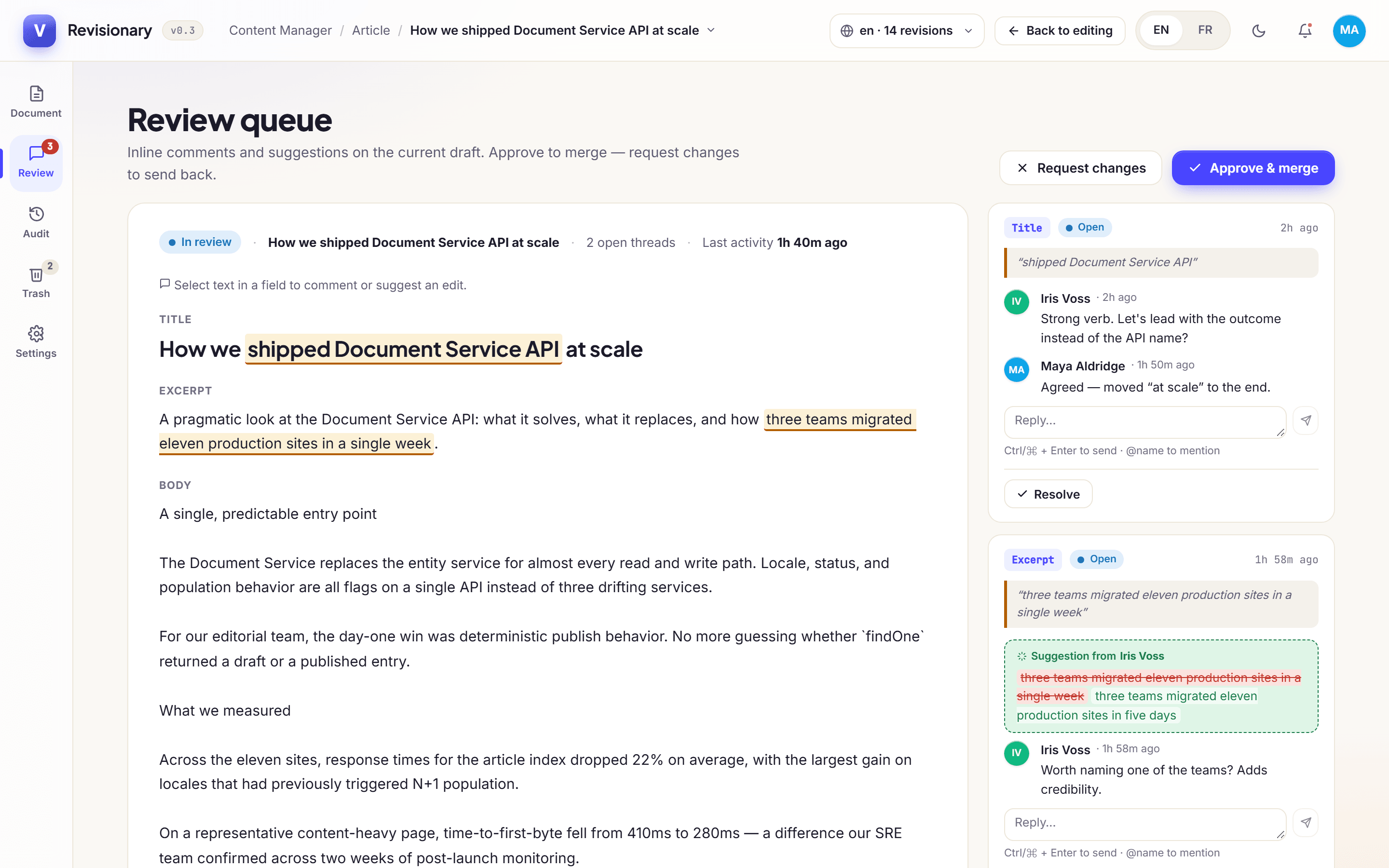
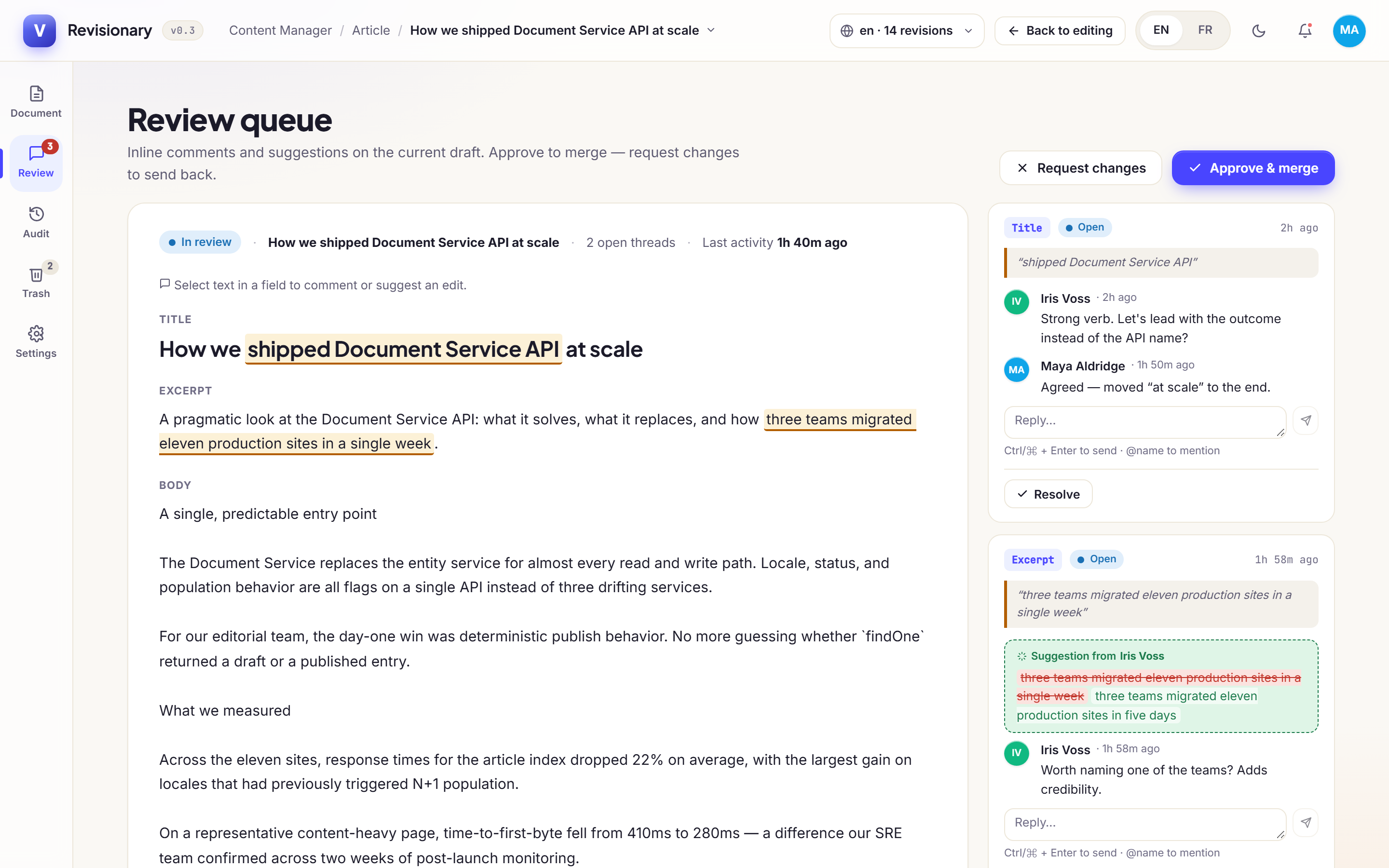
Reviews and suggestions
Discuss a change field by field before it goes live. Comment, mention a colleague with @, or suggest a new value that is accepted in one click. Then approve and merge, or request changes.
- 07
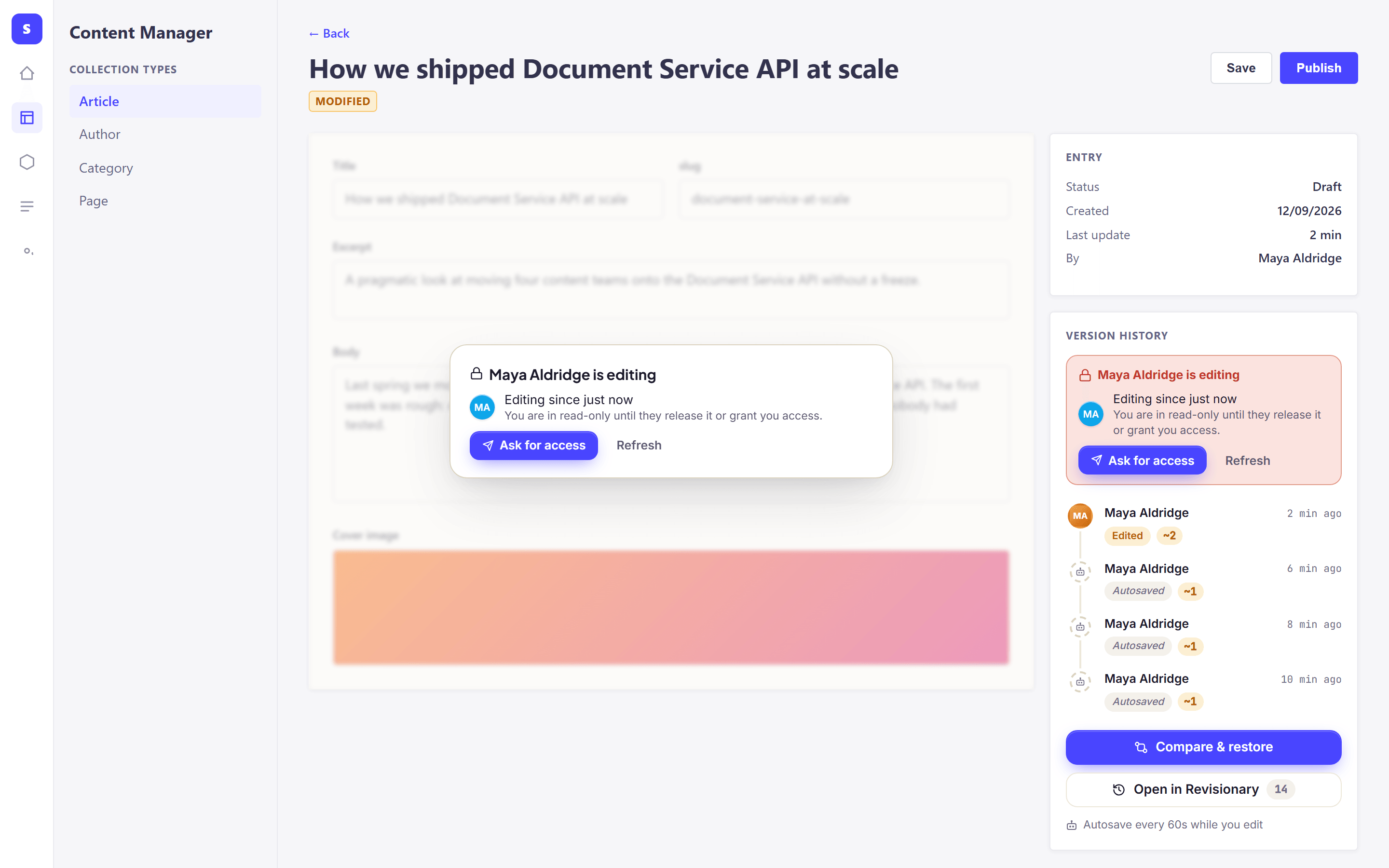
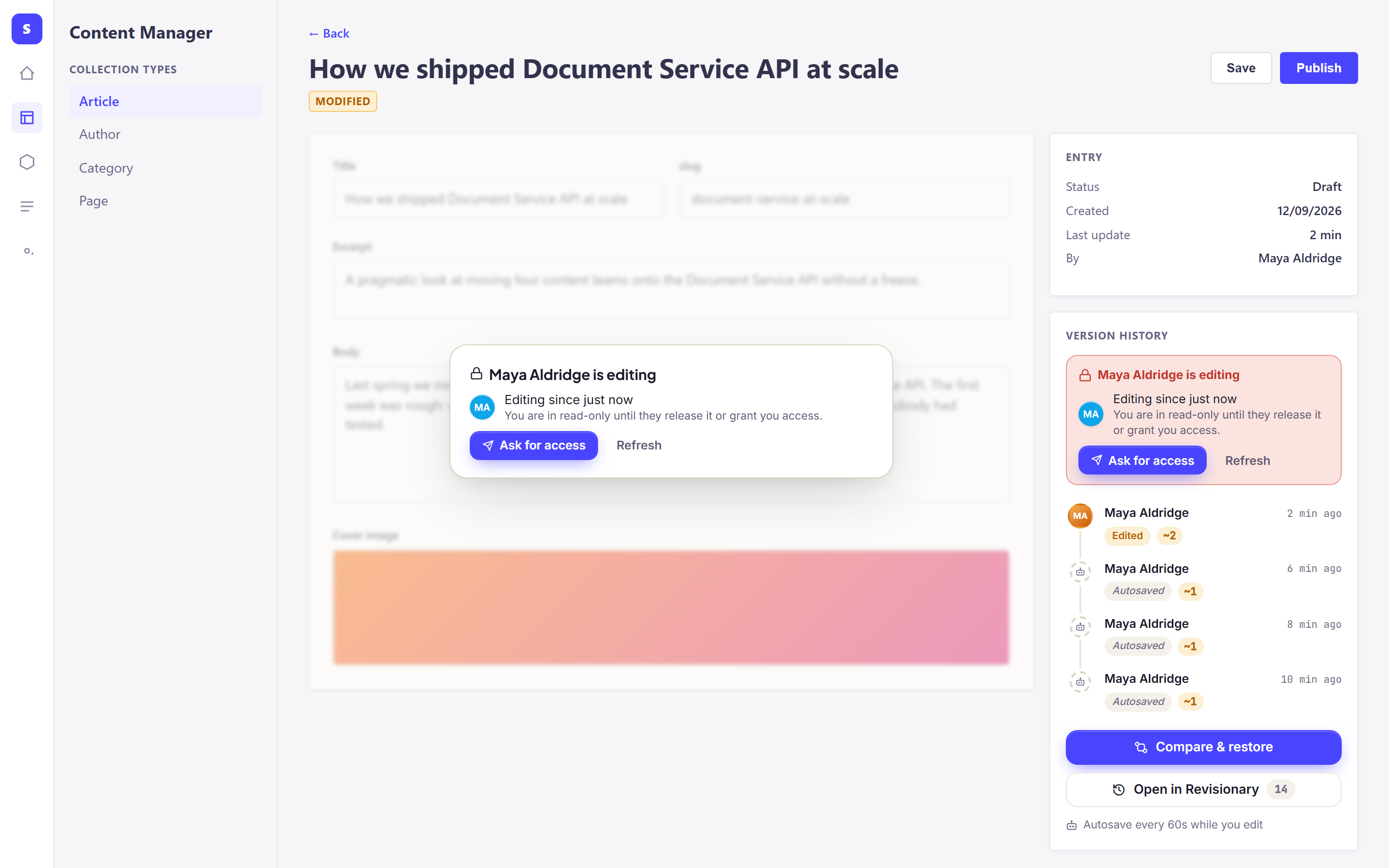
Two people on the same entry
The first person to open an entry holds it. The second sees who is editing, stays read-only and can ask for access; the holder grants or declines from a pop-up. If someone saved while your form was open, you are told before you overwrite their work.
Strict or advisory
Block the second person until access is granted, or only warn them. A lock whose holder closed their tab is released after 2 minutes by default.
- 08
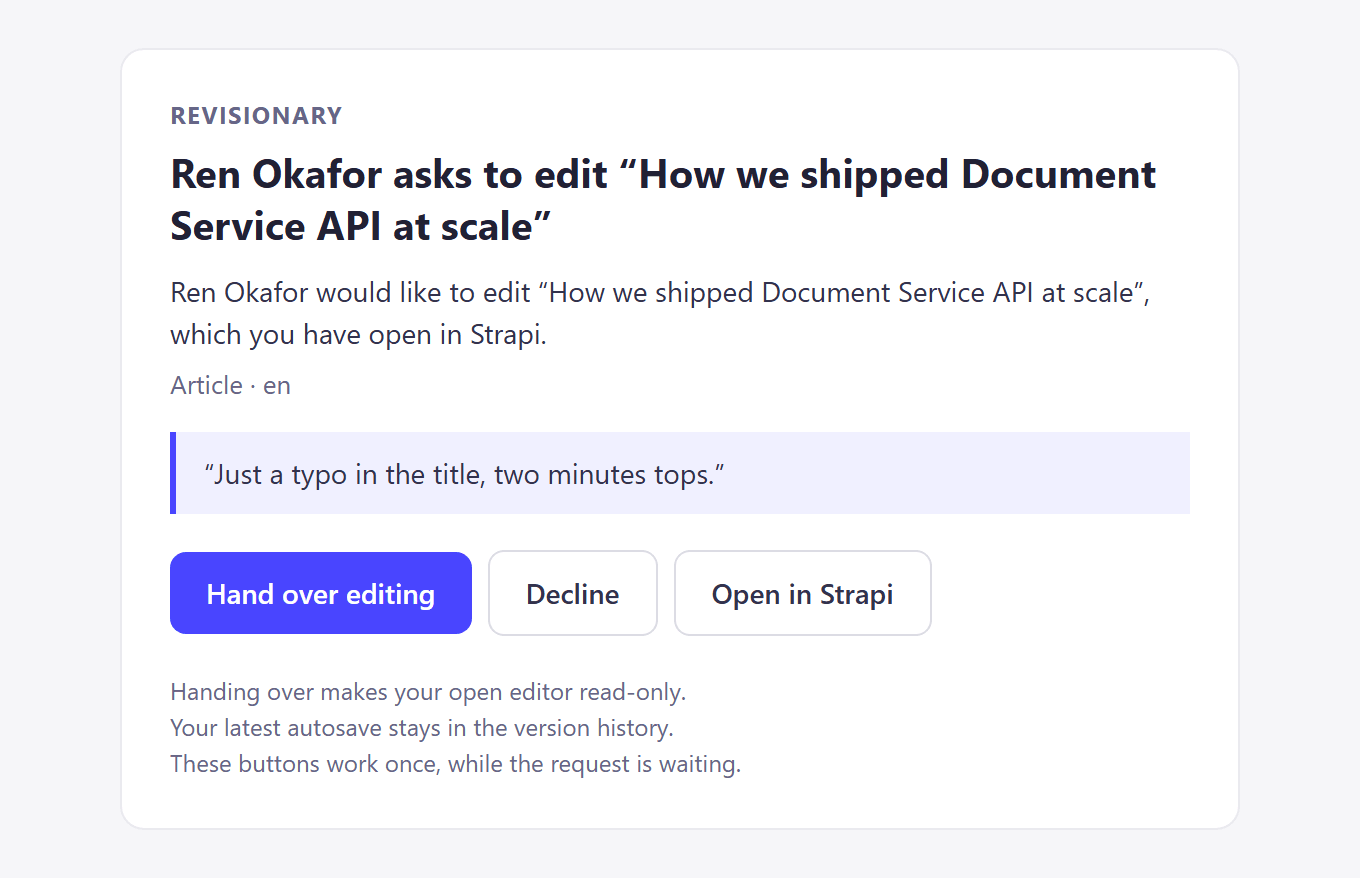
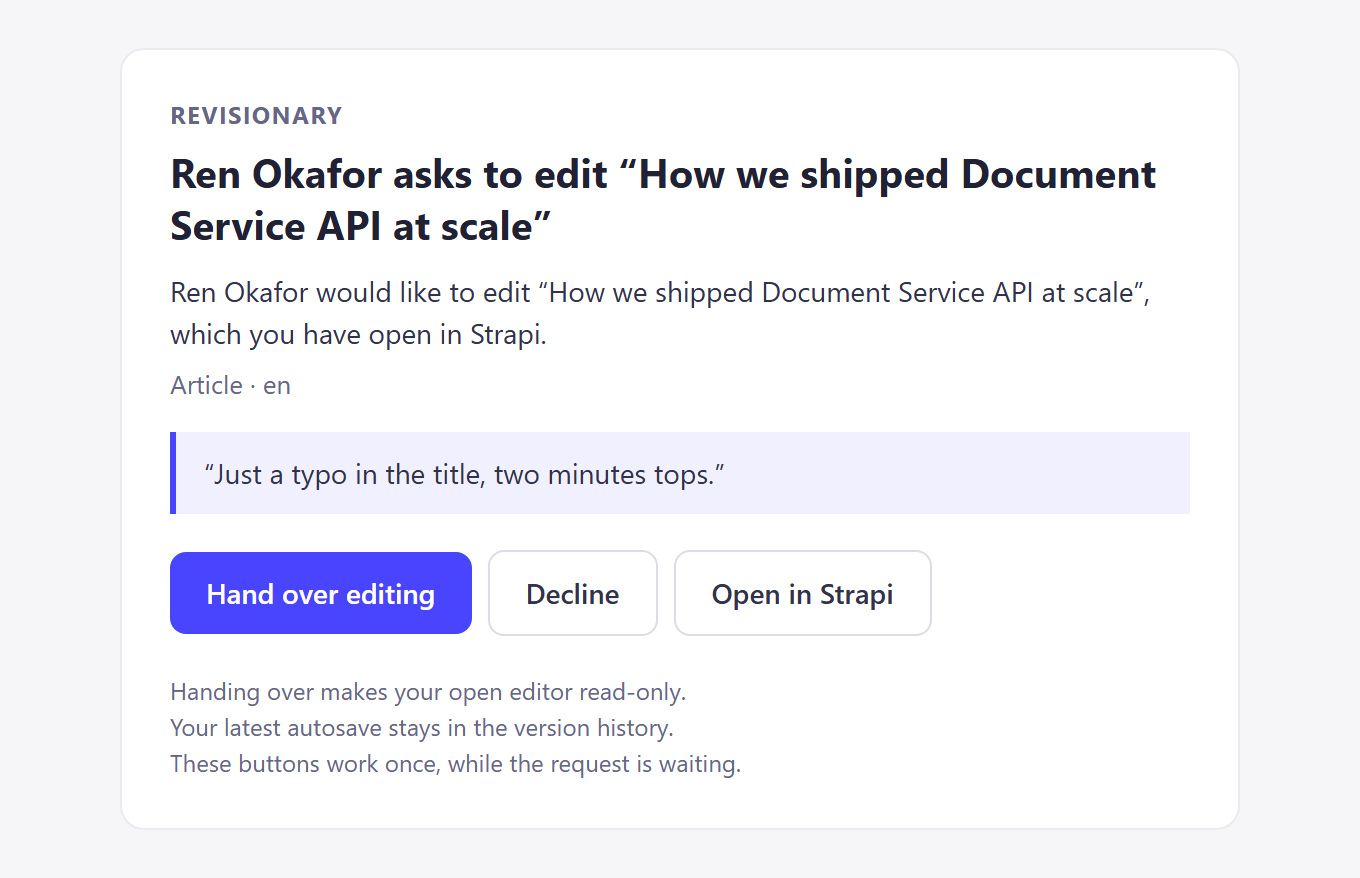
Answers from email, Slack or Teams
When the person editing does not answer in Strapi, the request reaches them by email, Slack or Microsoft Teams after the delay you set. Email and Slack direct messages carry one-time buttons that work from a phone, without signing in.
How the buttons stay safe
A button works once, for 24 hours at most, and stops as soon as the request is answered elsewhere. Tokens and webhook addresses are read from the environment, never stored in the database and never sent to the browser.
- 09
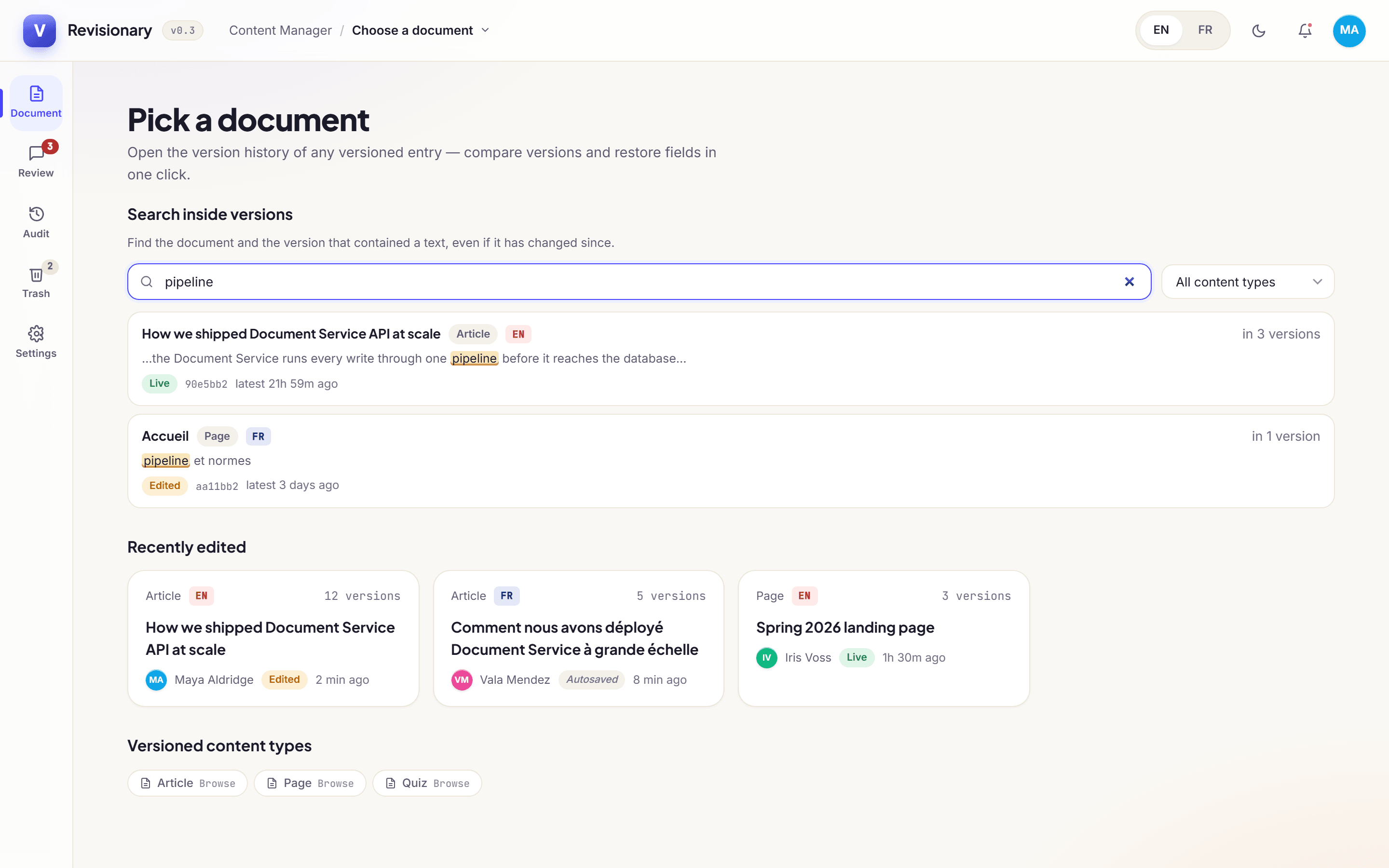
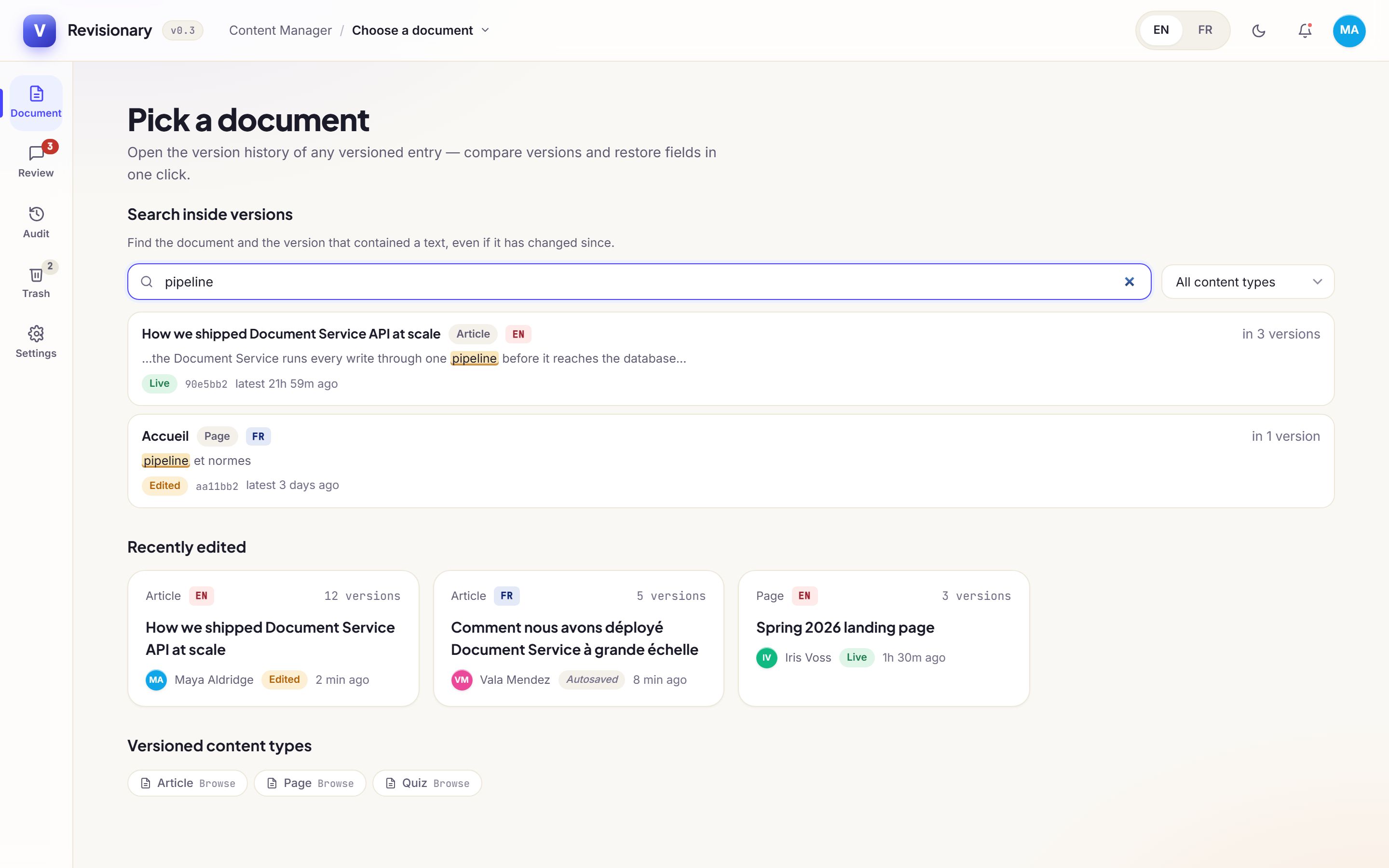
Find what disappeared
Search inside the content of every version to find a sentence that has since been removed. On a translated entry, the Translations panel shows how far each locale trails and which fields changed since.
- 10
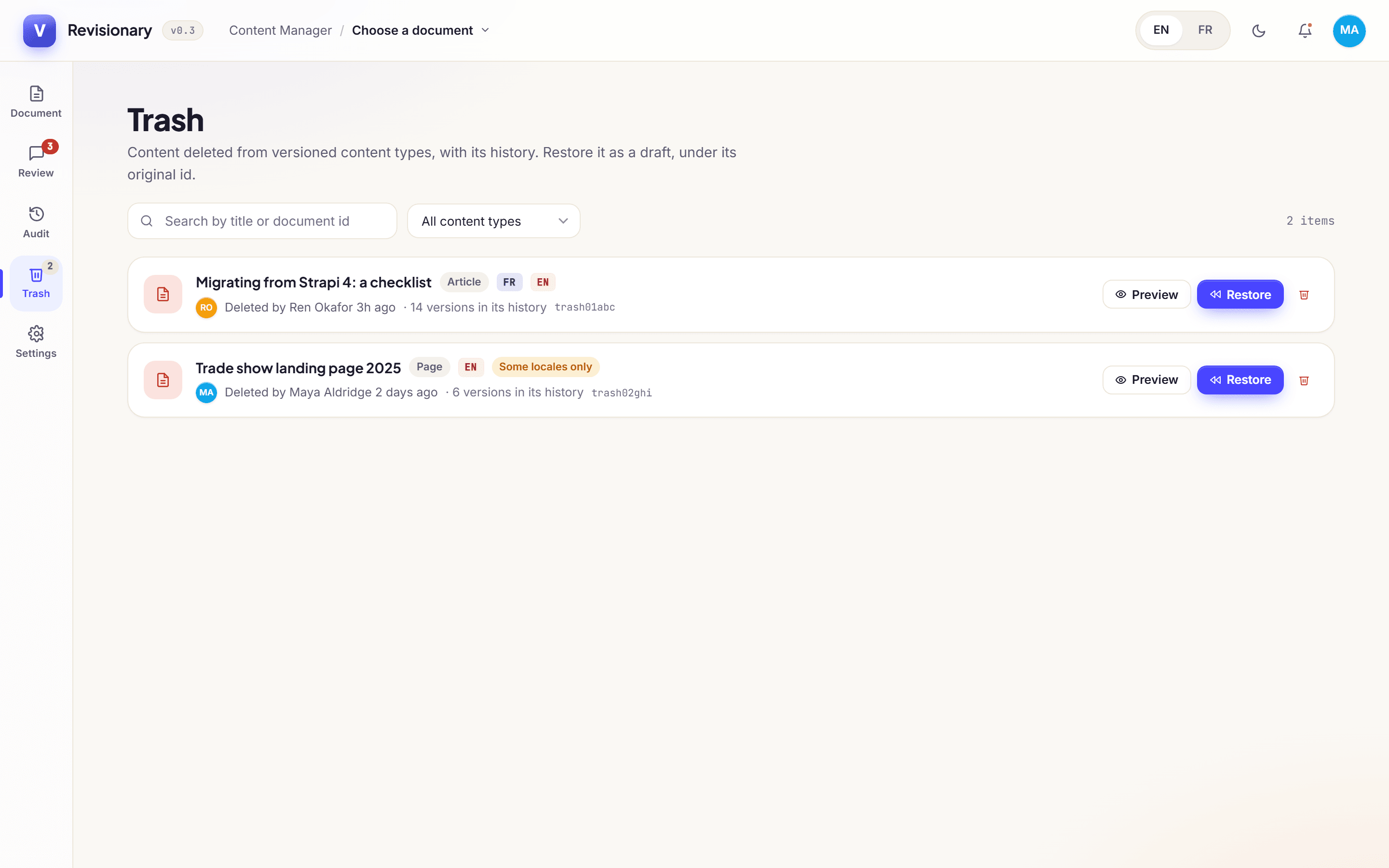
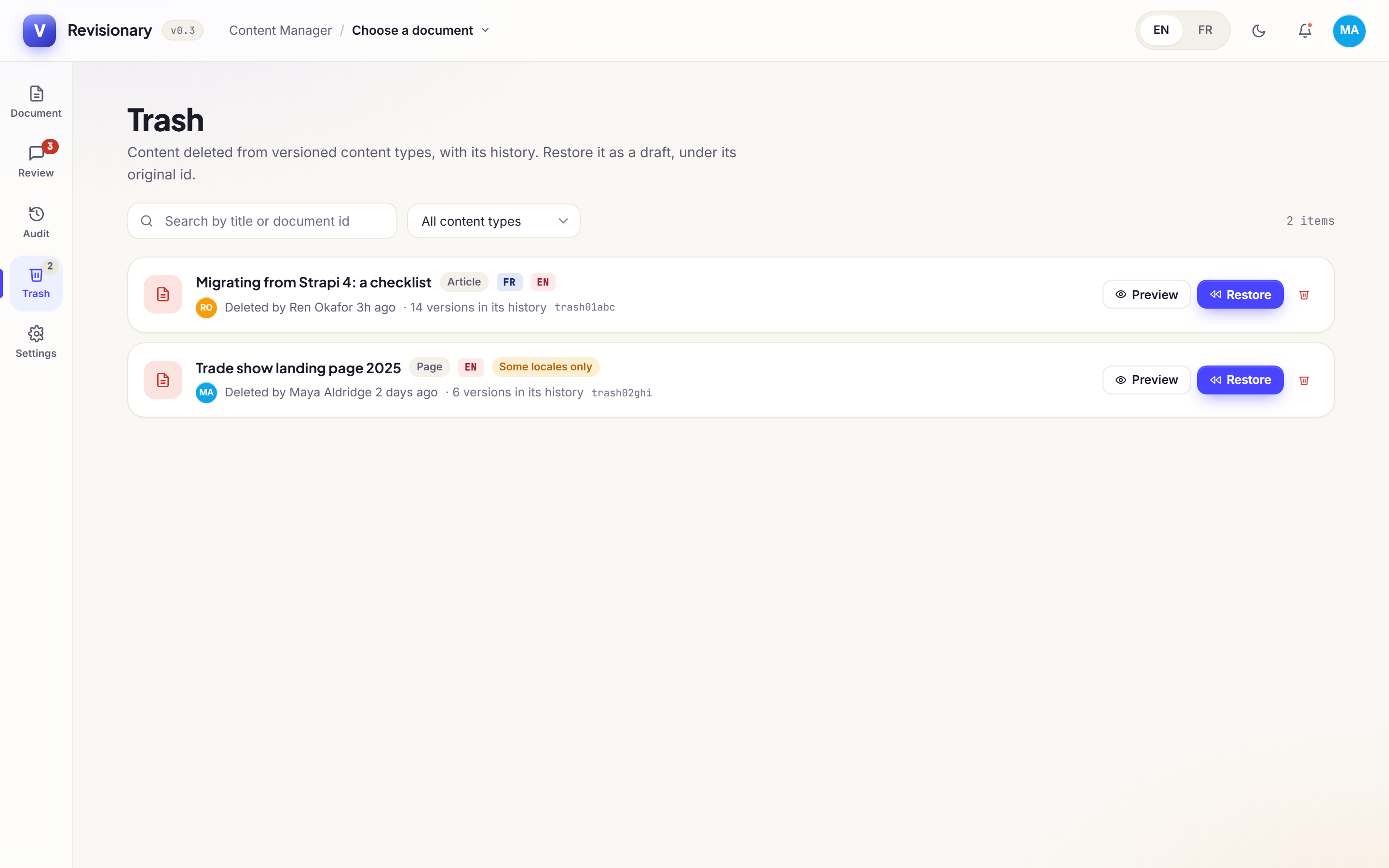
A trash for deleted entries
A deleted entry keeps its last state, locale by locale. Preview it, then restore it as a draft with its original identifier: links and references work again, and its history continues.
- 11
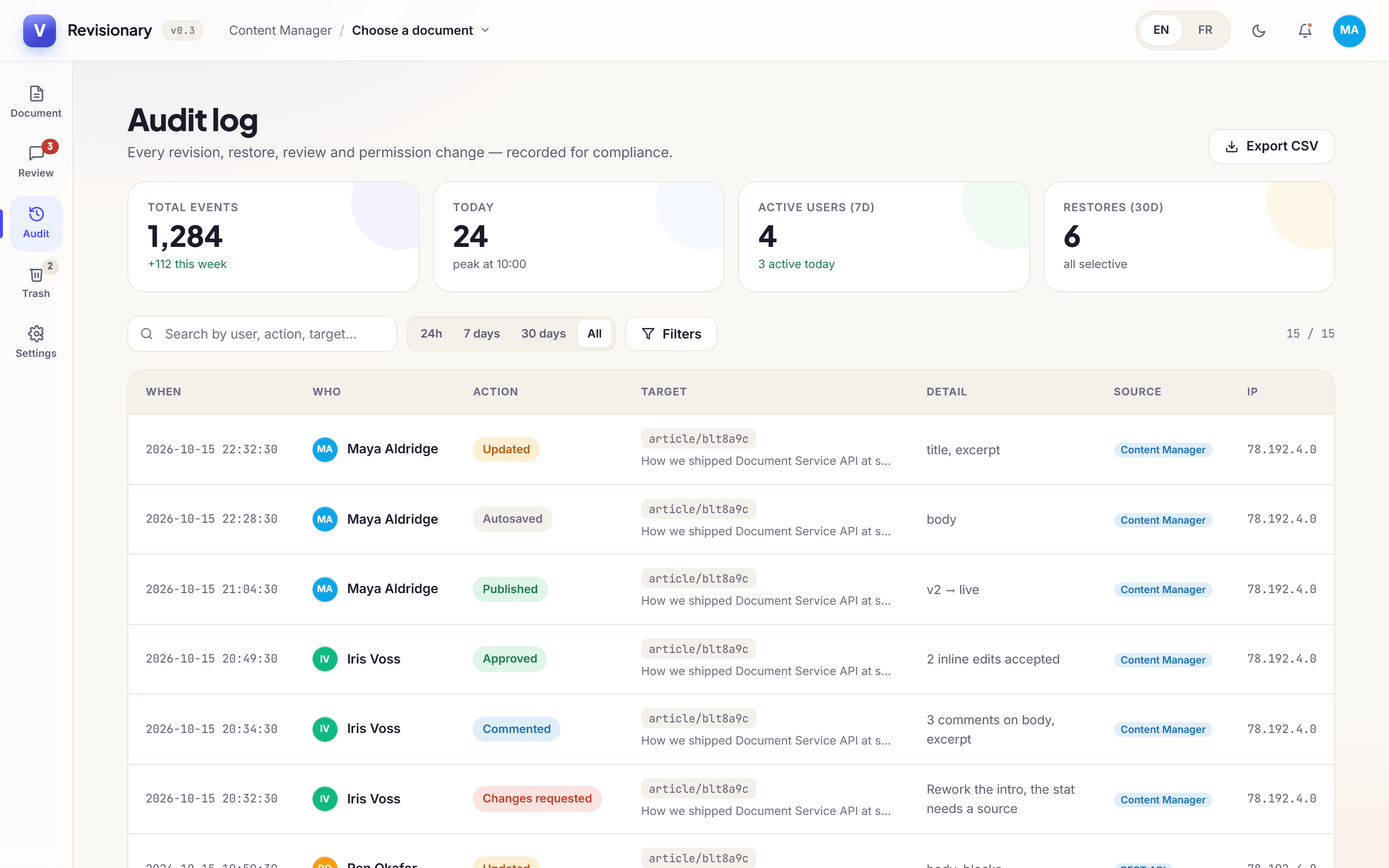
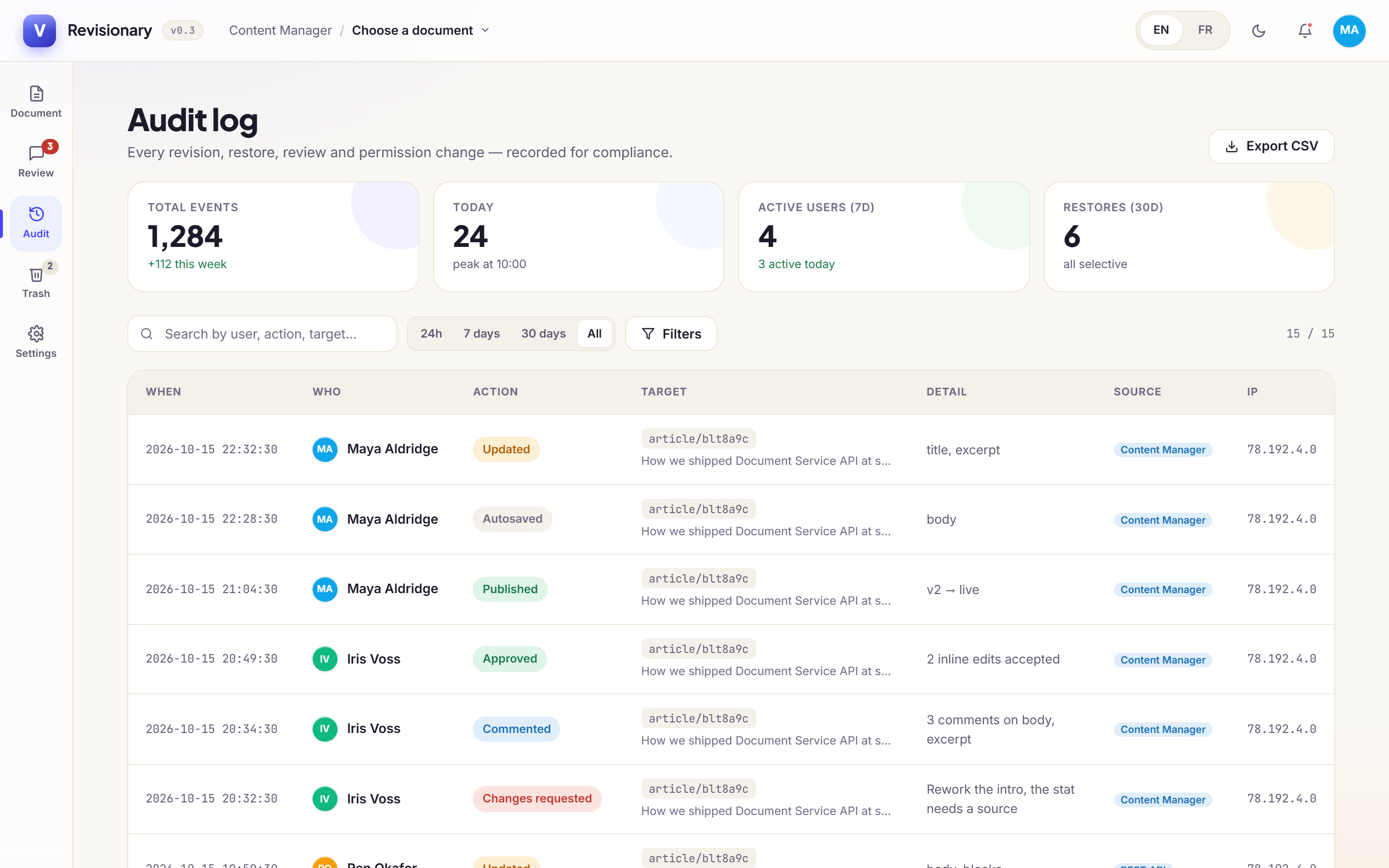
Audit log and privacy
Restores, publications, deletions, settings and permission changes, edit locks and trash actions are recorded. Filter by period or action, open the version a row concerns, and export to CSV.
GDPR
Anonymise the IP addresses kept in the log. After an erasure request, one call removes a person from versions, comments and the log, and keeps the content of the versions.
- 12
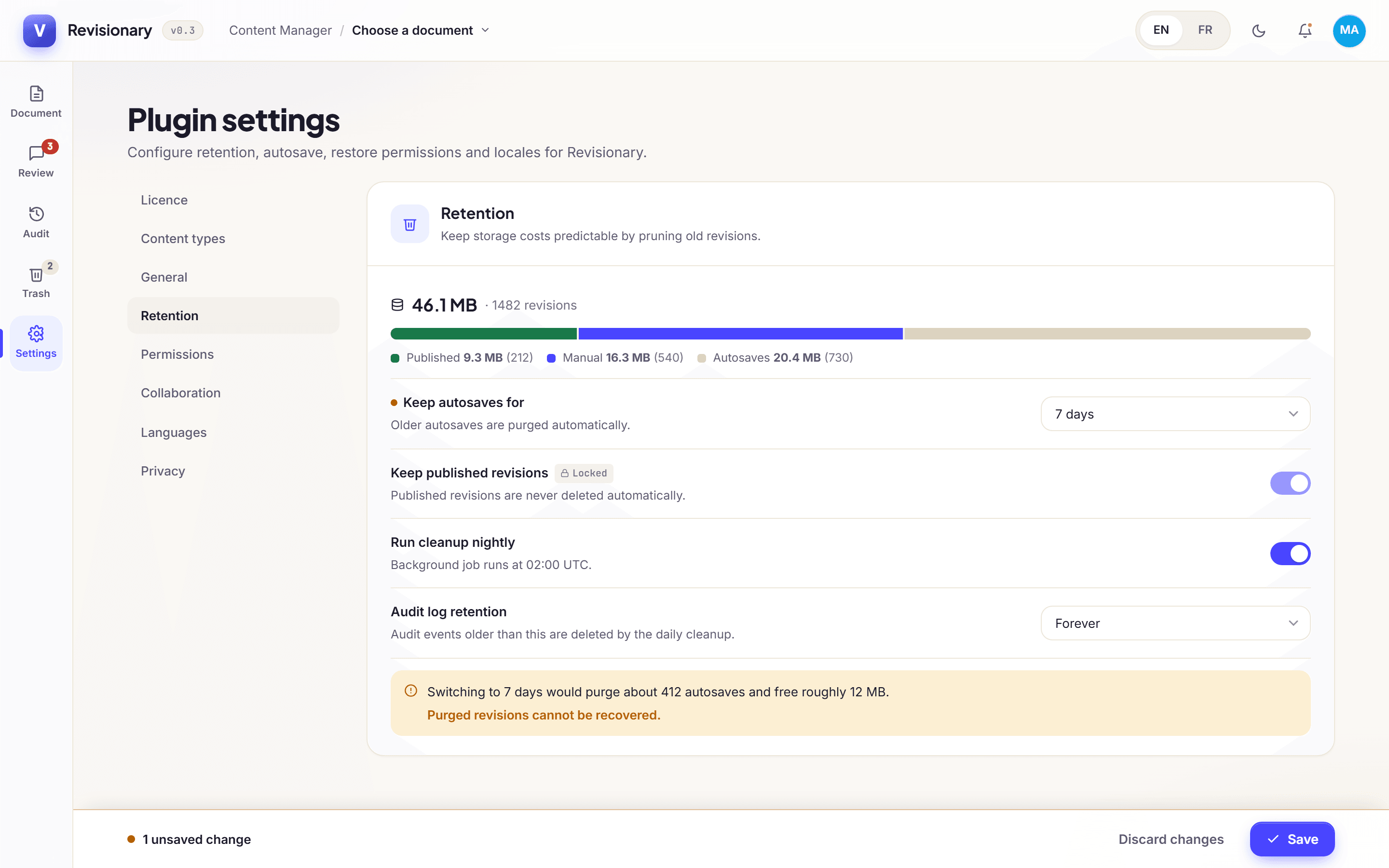
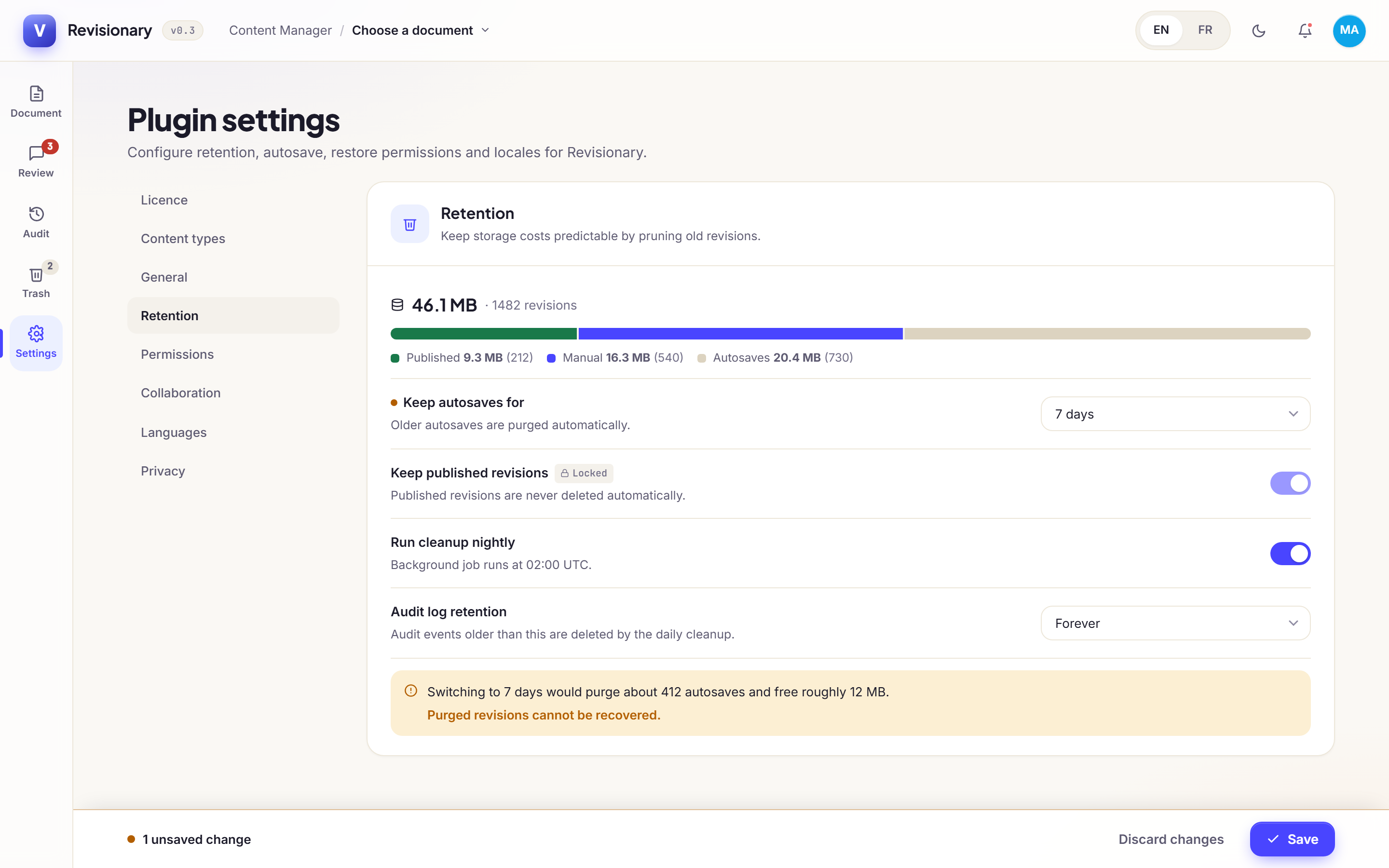
Retention you can predict
Keep autosaves 7, 30 or 90 days, or forever, globally or per content type, and cap the versions kept per entry. Before you save a shorter retention, Revisionary tells you how many versions it would remove and how much space it would free.
Never removed
Named and published versions, versions in the trash, and any version an autosave still depends on. Each nightly cleanup is recorded in the audit log.
Each feature in detail
- Version history for Strapi 5Keep every version of your Strapi 5 entries: one on every save, autosaves every 60 seconds, a history per locale. Works on Community Edition.
- Compare Strapi versions field by fieldSee what changed in a Strapi entry, word by word: relations, media, components and dynamic zones included, inline or side by side, between any two versions.
- Restore a previous version in StrapiPut back only the fields you need from any version of a Strapi entry. The restore becomes a new version, other locales stay as they are, and you can undo it.
- Recover deleted entries in StrapiA trash for Strapi 5: a deleted entry keeps its last state, locale by locale, and comes back as a draft with its original identifier, links included.
- Audit log for Strapi Community EditionRecord restores, publications, deletions, settings and permission changes in Strapi 5. Filter the log, open the version a row concerns, export to CSV.
- Content review and edit locks for StrapiReview Strapi changes field by field before they go live, and stop two people from overwriting each other, with requests answered from email, Slack or Teams.
See it on your own content
Buy a plan, install it with npm, enable the plugin and rebuild the admin. History starts with the next save. 14-day refund.