Get started
Choose what is versioned
Go to Revisionary → Settings → Content types. Each content type of your project is listed with the space its history takes.
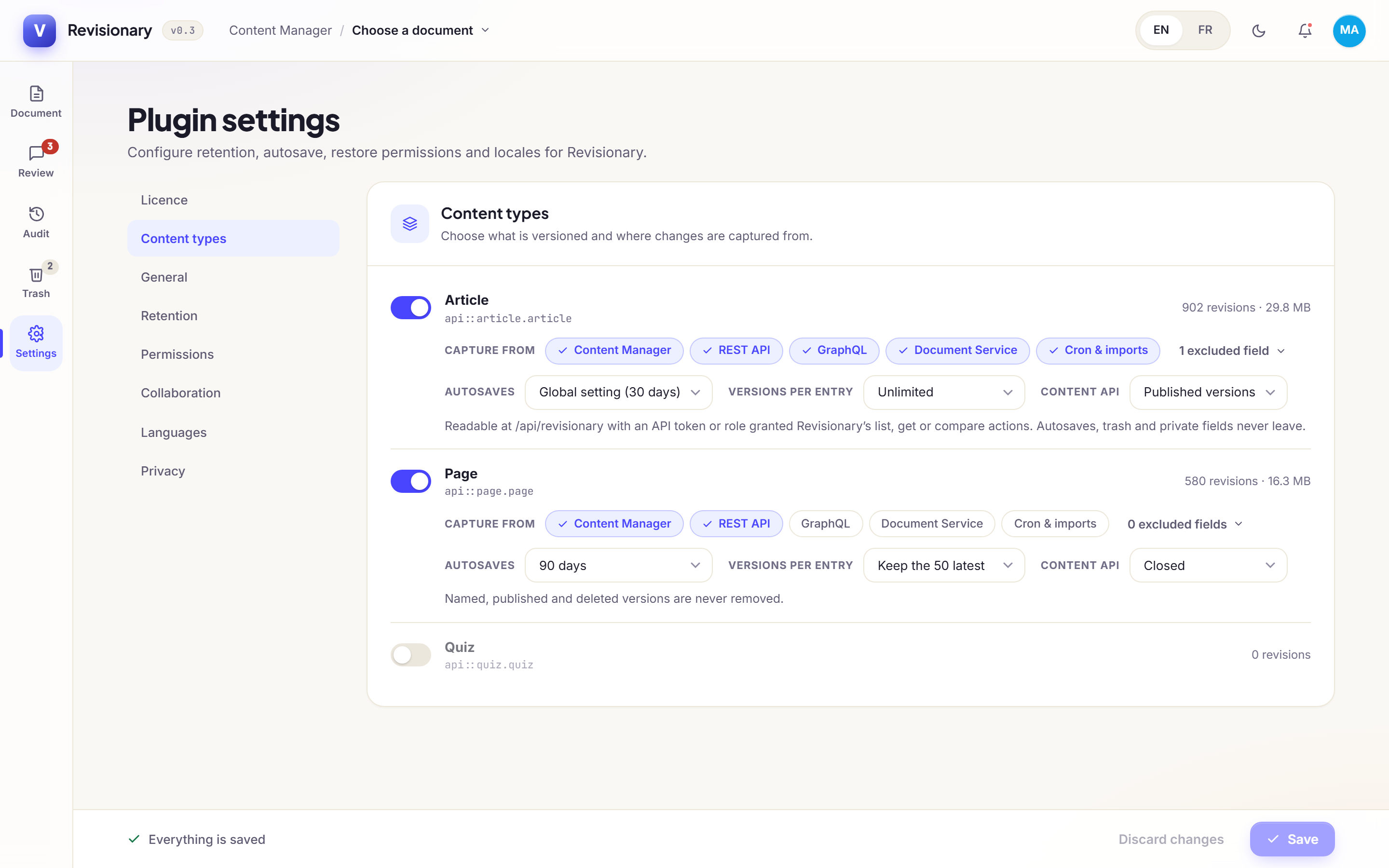
| Option | What it does |
|---|---|
| Capture from | Where changes are recorded from: Content Manager, REST API, GraphQL, Document Service (your own code) and Cron & imports. Turn off a source to ignore it. |
| Excluded fields | Fields that are never stored in a version. Use it for secrets, counters and computed values. |
| Autosaves | How long autosaves of this type are kept. Global setting follows the Retention section. |
| Versions per entry | The most versions kept per entry and locale. The oldest go first. |
Fields that can never be restored
Some fields should never go back to an old value, like a slug that is already indexed. List them in config/plugins.ts under lockedFields. They still appear in the differences, marked as locked.
Was this page helpful?
Updated 1 November 2026