Content review and edit locks for Strapi
Review Strapi changes field by field before they go live, and stop two people from overwriting each other, with requests answered from email, Slack or Teams.
Two editors on the same entry, or a change nobody looked at before it went live: Revisionary handles both inside the Strapi admin.
Review before it goes live
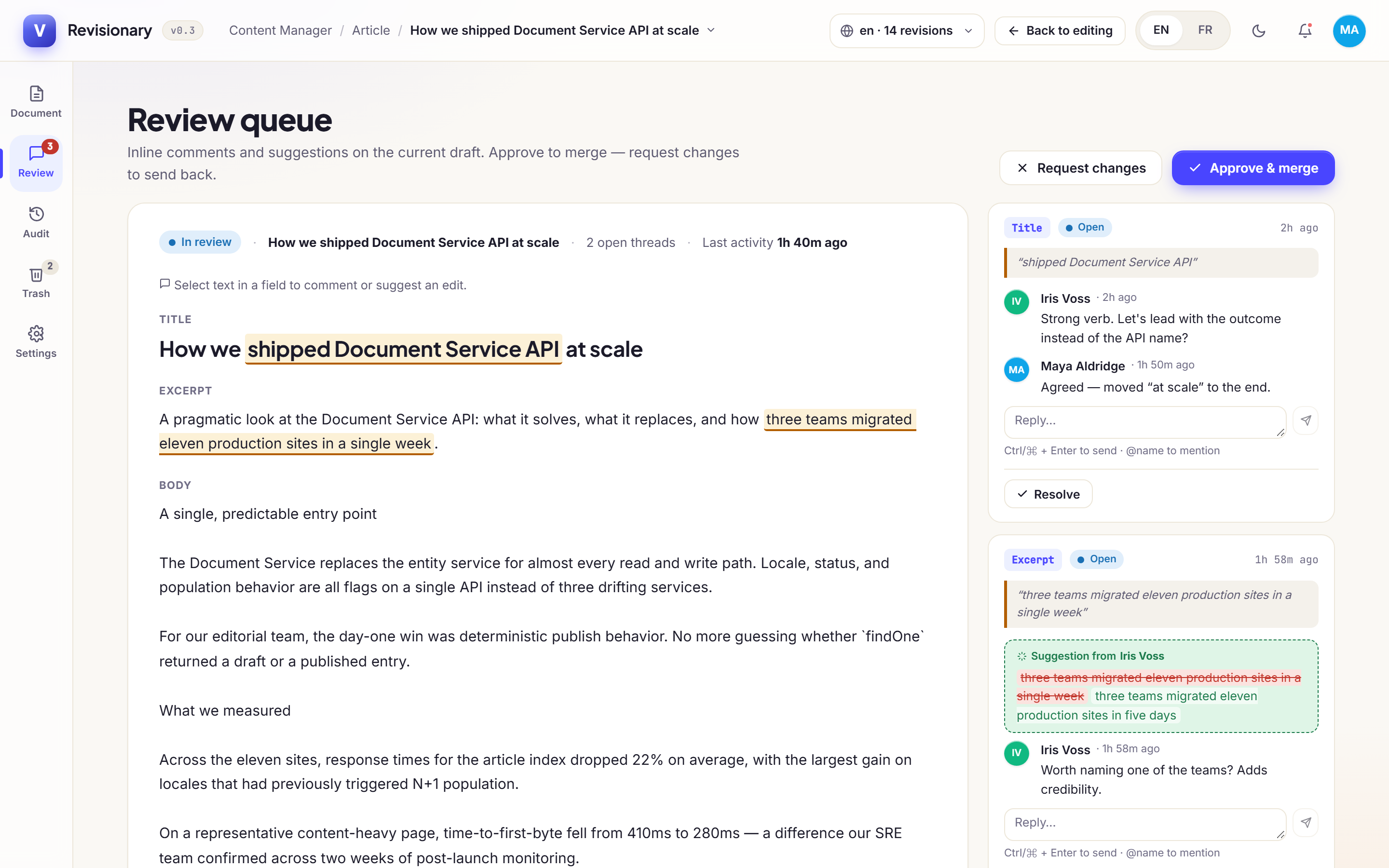
The Review space gathers the entries waiting for a decision. Discuss a change field by field:
- Comment on a field, and mention a colleague with
@. - Suggest a new value instead of editing directly. Accepting it applies the value in one click.
- Approve & merge, or Request changes to send it back to its author.
Two people on the same entry
The first person to open an entry holds it. The second sees who is editing and, by default, stays read-only. They can ask for access; the holder grants or declines from a pop-up. A lock whose holder closed their tab is released after 2 minutes by default.
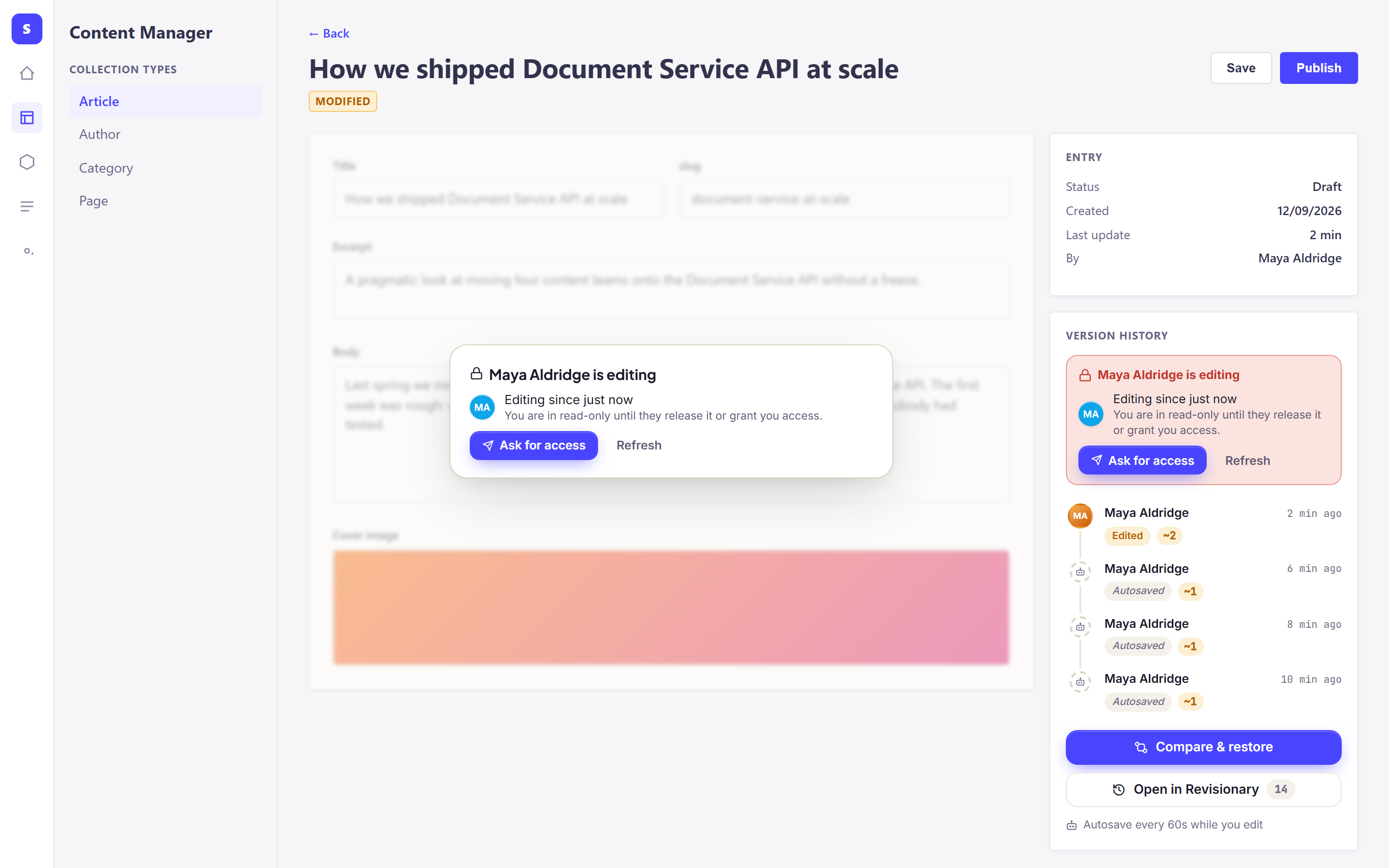
Choose whether the second person is blocked until access is granted, or only warned. And if someone saved while your form was open, the panel tells you before you overwrite their work.
Answers from email, Slack or Teams
When the person editing does not answer in Strapi, the request reaches them after the delay you set, from right away to 5 minutes. Email and Slack direct messages carry one-time buttons that work from a phone, without signing in. A button works once, for 24 hours at most, and stops as soon as the request is answered elsewhere. Slack and Teams channels are shared, so their buttons open Strapi instead.
Questions and answers
Can the second person be warned instead of blocked?
Yes. In the collaboration settings, choose read-only until access is granted, or a warning only.
Which channels can notify the person editing?
Email, Slack (direct message or channel) and Microsoft Teams.
What if the editor closed their tab without saving?
The lock is released after 2 minutes by default, and the next person takes over.